

A working list of Excel VBA macro examples covering the tasks that come up most often — reading and writing cells, moving data between sheets, formatting, charts, pivot tables, file handling and talking to Word, PowerPoint and Outlook. Every example is copy-and-run.
Each section below links to a full tutorial with the code, an explanation of how it works, and the variations you are likely to need. Start anywhere — the sections are independent.
How to use these macros
Press Alt + F11 to open the VBA editor, then Insert → Module and paste the code. Press F5 to run it. If you are new to this, start with Excel VBA macros for beginners and come back here.

Excel VBA macros for cells and ranges
Reading and writing cell values is where most people start, and it stays the most-used part of VBA long after. These macros cover reading and writing data, selecting, copying and pasting, clearing, changing font colour and weight, cell background colour, merging, comments and changing text case.
- Write data to a worksheet cell
- Writing and reading worksheet cells and ranges
- Read or get data from a worksheet cell
- Select a cell or range
- Copy data from one range to another
- Clear cells in a range
- Change font color
- Change font to bold
- Change text case, upper and lower
- Change background color of a cell or range
- Merge and unmerge a cell range
- Add and clear comments
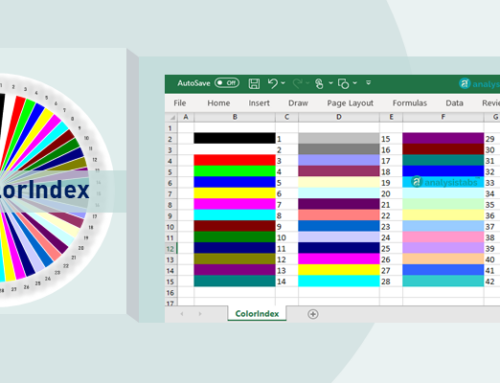
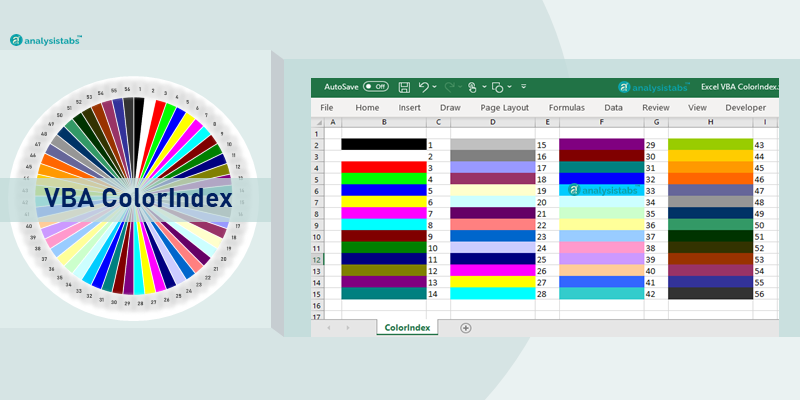
For the full colour reference, see Excel VBA ColorIndex with all 56 color codes.
Excel VBA macros for rows and columns
Cell and range macros handle the data. Rows and columns handle the shape of the sheet — inserting, deleting, hiding, resizing, and the perennial question of finding the last used row or column.
- Change row height and column width
- Delete rows and columns
- Hide and unhide columns
- Hide and unhide rows
- Insert columns
- Insert rows
- Find the last used column in a particular row
- Find the last used row in a particular column
- Find the last column with data in a worksheet
- Find the last used row with data in a worksheet
Excel VBA macros for worksheets and workbooks
Creating, opening, saving and closing workbooks. Running a macro automatically when a workbook opens. Protecting and unprotecting. Copying data between sheets, hiding sheets, and changing tab colors.
- Create a new workbook
- Run a macro automatically when a workbook opens
- Open and close a workbook
- Save a workbook to a specific folder
- Protect and unprotect a workbook
- Protect and unprotect worksheets
- Hide and unhide worksheets
- Delete a worksheet
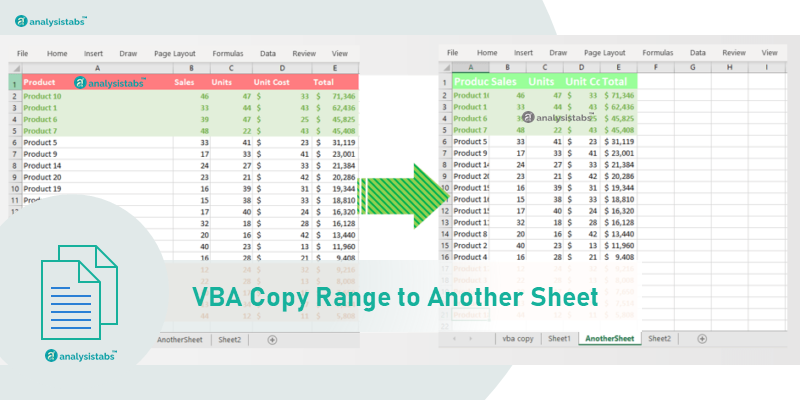
- Copy data from one worksheet to another
- Change the color of sheet tabs
- Activate a workbook or worksheet
- Get the active workbook or worksheet name, path and full name
Excel VBA hyperlink macros
Hyperlinks do more than open a web page. FollowHyperlink will open a file, a folder or a website, and it can even generate an email. These examples cover adding and removing hyperlinks, and using them to trigger actions.
- Add and create hyperlinks
- Remove hyperlinks
- Open a file, folder or website using
FollowHyperlink - Create and send email using
FollowHyperlinkand SendKeys
All hyperlink macros with examples
Excel VBA chart macros
Charting is where VBA earns its keep on a dashboard. More than 33 examples covering how to create charts, change chart types, set axis titles and formats, work with primary and secondary axes, and loop through the chart collection.
- Creating charts with VBA
- Setting and changing chart type
- Formatting chart objects
- Working with the chart collection
- Chart constants and enumerations
All chart macros with examples
Excel VBA table macros
Excel tables give you structured references and automatic ranges. These macros create tables, sort them, and apply or clear filters.
- Create tables
- Sort table data
- Filter tables
- Clear and toggle table filters
All table macros with examples
Excel VBA pivot table macros
Pivot tables summarise and analyse data. These macros create pivot tables and pivot charts, add calculated fields, and set row, column and value fields.
- Creating pivot tables
- Creating a pivot chart
- Creating a pivot column chart
- Adding a calculated pivot field
All pivot table macros with examples
Excel VBA named range macros
Named ranges save time and make formulas readable. You can define names for cells, ranges and tables, then use them across every sheet in the workbook. These macros add, delete, hide and unhide names.
- Adding names
- Deleting names
- Hiding and unhiding names
All named range macros with examples
Excel VBA macros for Word, PowerPoint and Outlook
VBA is not limited to Excel. From an Excel macro you can drive Word, PowerPoint, Access, Outlook and Internet Explorer, or run a VBScript. These examples cover each.
- Interact with PowerPoint from Excel VBA
- Work with MS Word from Excel VBA
- Interact with MS Access from Excel VBA
- Interact with Outlook from Excel VBA
- Work with Internet Explorer
- Open other applications such as Calculator
- Run VBScript from Excel VBA
- Attach and send an Excel chart to an Outlook email
All macros for other applications
Excel VBA Application object macros
The Application object is how you make a slow macro fast. Turning off screen updating, events and alerts while a macro runs can cut execution time dramatically. These examples also cover the status bar, window state and getting the user name.
- Stop screen updating
- Disable and enable events
- Disable and enable application alerts
- Show progress on the status bar
- Set window state — minimise, maximise, normal
- Toggle full screen
- Get the user name
- Set calculation to manual or automatic
- Open the Visual Basic Editor and a module with VBA
- Exit from a procedure or function
All Application object macros — make your code faster
Excel VBA file and folder macros
Creating, copying, moving and deleting files and folders. Showing file and folder dialog boxes so the user can browse. Checking whether a file or folder exists before you act on it.
- Check if a folder exists
- Open folders
- Create folders
- Copy folders from one location to another
- Move a folder
- Delete folders
- Make a file read only
- Copy all Excel files from one folder to another
- Open files using a file dialog box
- Customise the file or folder dialog box
- Display a plain dialog box to pick files
Two more file macros with full code:
Other useful Excel VBA macros
Where to go next
These macros work in Excel 2016, 2019, 2021, 2024 and Microsoft 365 on Windows and Mac. Anything version-specific is flagged on the individual tutorial page.
- Excel VBA macros for beginners — if you have never recorded or written a macro.
- Excel VBA programming — procedures, functions and control flow.
- Advanced VBA programming — userforms, file handling and application interaction.
- VBA Code Explorer — browse every example by object, method and property.
- 100+ VBA interview questions — with worked answers.
- Excel VBA tutorial — the full learning path from basics to advanced.
Missing a macro you need?
If there is a task you cannot find here, write to us. We answer within a couple of days and publish the solution on this page so every other reader gets it too. That is how most of the examples above came to exist.


Hi,
How to add excel chart to email body?
Thanks,
Chitanya
Hi Chaitanya,
Welcome to ANALYSISTABS!
Please refer Example 33 the following page:
How to Add and Send an Excel Chart to an Outlook email
Thanks-PNRao
Thnk you very much.
You are most welcome!
Hi Team,
A very intersting site to learn VB. The thing which i liked here most is user friendly & explanation of each n every concepts very precisely. Applause for the whole team. Great JOB!!!
Regards
Spoorthi M
Thank You! Enjoy Learning @ ANALYSISTABS.COM
Hi PNRao,
It’s very interesting site to learn step by step VBA in easy way. Please allow me to copy your lesson learning. thank you
Hi Lody,
Thanks for visiting us. Unfortunately you should not copy the content from our site as it is against our terms and policies. We are a team working in day and night to build this. You can feel free to use our site as a reference for your queries our for learning purpose. We don’t allow the people to copy and duplicate our content.
For more details, please read our terms and conditions:
Privacy Policy | Terms of Use
Thanks-PNRao
Can we get 100+ Examples for Basic and Advanced Users in PDF format So that we can work or Refer while offline
Ok I got it, I read last comment Just now, Thanks for Good Effort,This website is best for all freshers who want to learn VBA programing, you are Amazing Guys.
May god Bless you.
Hi Amrut,
Thanks for visiting our site.
Yes, I am working on 100+ Excel VBA Examples and providing to my blog readers as soon as possible (with in a month).
Thanks
PNRao
Hi,
I would like to know about the matrix multiplication,transpose and inverse of a matrix (mXn). Kindly help me on this.
Thanks
Maahendra
Hi Mahendra,
I will post the example programs ASAP.
Thanks-PNRao
Hi ,
I am new to Excel VBA and my need is to create multiple worksheets on the same workbook based on the values from a range of cells(Text) from the Index Sheet and also i have to give hyperlink to the corresponding sheets.
For Eg:
cell A1 contains “Name”, a work sheets should be created on this name and Cell A1 should have hyper link to the created worksheet.
cell A1 will be in Index or 1st page.
Thanks
Hi,
I am very new to Excel VBA. I want to add multiple worksheets in the same workbook and i have to rename it with the values from a range of cells from the Index page. And also each sheet should be hyper linked to the corresponding Cell in the range.
For Eg:
Cell A1 has “Name”, i have to create a worksheet with that name and that created sheet has to be hyper linked with Cell A1.
Thanks
How to write vba macro to copy data from one sheet to another without using “copy” command ?
Hi Jaimin,
You can use for loop to get the data from one sheet to another sheet. For instance, if you want to get the data of cells A1:A20 from Sheet2 to cells B1:B20 of sheet1.
For iCntr=1 to 20

Sheets1.Cells(iCntr,2).value=Sheets2.Cells(iCntr,1)

Next
Its depending up on your requirement. If you want to copy only few cells. you can do it without using for loop.
However Copy command [Sheets2.Range(“A1:A10”).Copy Destination:=Sheets1.Range(“B1)] works more faster, you can copy the data including formats.
Hope this helps!
Thanks – PNRao!
Hi Vivek,
Here is the example program for your requirement.
[code language=”vb”]
Sub sbCreateTOCSheetHyperLinks()
iCntr = 5 ‘ worksheets names starts from 5th row
‘loop until the cell is blank
Do While Sheets("Index").Range("A" & iCntr) <> ""
‘If you want to add new worksheets from last worksheet
Sheets.Add After:=Sheets(ActiveWorkbook.Worksheets.Count)
ActiveSheet.Name = Sheets("Index").Range("A" & iCntr)
Sheets("Index").Activate
‘delete if any existing hyperlink
Range("A" & iCntr).Hyperlinks.Delete
‘add hyperlinks
Sheets("Index").Hyperlinks.Add Anchor:=Range("A" & iCntr), Address:="", _
SubAddress:="’" & Sheets("Index").Range("A" & iCntr).Value & "’!A1", _
TextToDisplay:=Sheets("Index").Range("A" & iCntr).Value
iCntr = iCntr + 1
Loop
End Sub
[/code]
You can download the example file form our downloads page: Download Now
You can use our add-in to create better TOC in easy way.
Hope this helps!
Thanks-PNRao!
Hi Team,
I want to Split data into multiple worksheets based on column(this column will contain numbers)
with VBA code. It will be more helpful if you would help on this.
Thanks
Hi Jagadeesh,
Please check for the example (Copy Data from One Sheet to Different Sheets:) in the following page:
Excel VBA Downloads
Hope this help you to do your task.
Thanks-PNRao!
Hi,
Really thanks for that, really that helps me a lot….
You are most welcome!
Thanks-PNRao!
Hi,
I am at a beginner level of learning VBA. So far it really helped me a lot at my workplace to drag my manager’s attention. I prefer referring your site and I really love the way you interpret useful info in the simplest way. Your work actually attracted me towards learning more & more of VB. Thank you for your hard work & knowledge sharing!
Hi Joshi,
Thank you for your comments, I am happy that our blog is helping and creating interest towards learning VBA.
Thanks-PNRao!
how to send email through excel using macro or without macro
Hi Nitin,
Please check the following topics discussed about sending emails using macros.
http://analysistabs.com/excel-vba/interact-with-other-applications/
http://analysistabs.com/excel-vba/hyperlinks-examples/
http://analysistabs.com/excel-vba/chart-examples-tutorials/
Thanks-PNRao!
Hi great site – i’m self learning VBA mostly through using the record macro function and analysing the coded output. Trying to make use of the text held within an object to drive an action based on the digit held within this object.
Fantastically built side in terms of content and style
Thanks Paull! Enjoy learning VBA. -PNRao!
Hi,
first of all congrats for the amazing helpful website.
I am wondering if you could help me with this VBA issue:
1) Hypothesize we have in “sheet1” cell a1, a3, a5, a7 and so on with a gap of 2.
2) I would like a Macro that links (instead of copy if possible) cell b1, b2, b3, b4 and so on of “sheet2” to cell a1, a3, a5 … of “sheet1” (basically removing the Gap)
Hope I was clear.
Thanks a lot for your help,
Patrizio
Hi Patrizio,
Thanks for your comments. Here are VBA macros for your requirement.
[code language=”vb”]
Sub sbFill_OddRows()
‘Declaration
Dim iCntr, jCntr, lastRow As Long
‘iCntr to iterate Sheet2
‘jCntr to iterate Sheet1
‘lastRow for storeing last row with data in Sheet2
lastRow = 25
‘Assuming you have data up to 25th row in Sheet2
‘If the last row is not fixed, then check
‘our most useful vba examples to find Last row
‘in different scenarios
jCntr = 1
For iCntr = 1 To lastRow
Sheet1.Cells(jCntr, 1) = Sheet2.Cells(iCntr, 1)
jCntr = jCntr + 2 ‘increasing jCntr to skip one row
Next
End Sub
‘*To fill even rows: Same as above with one change
Sub sbFill_EvenRows()
Dim iCntr, jCntr, lastRow As Long
lastRow = 25
jCntr = 2 ‘ 1 to fill Odd rows, 2 to fill Even rows
For iCntr = 1 To lastRow
Sheet1.Cells(jCntr, 1) = Sheet2.Cells(iCntr, 1)
jCntr = jCntr + 2
Next
End Sub
[/code]
Hope this helps, let me know if you need more clarification.
Thanks-PNRao!
Hi,
I want to insert multiple objeats using VBA,Please help me on this.
Ex:Coulamn c is having the 100 objects names,I want to search in my system and i want to insert repect to that coulmn.
Hi Sivakumar,
Thanks for writing us! Could you please specify your problem in more detailed.
I understand that you will have your object names in C column of on of the sheet and you want to insert them just right to that respective cell. The thing I could not understand is Object: What are you referencing as object? is this a image?… please elaborate your question.
Thanks-PNRao!
hi this is my query, could you please help
i have these percentages
35%,40%,25% and then i have a value say 50,000
i have made a tab on which i click and it should calculate the percentages itself
will the same macro run for multiple entries?
Hi Team,
I want to extract data from MSSQL server between two date and this date must be insert by user in the text box of a vba form so give me an example where we take the date from text box n put it on SQL query and direct extract the data from the server.
Thankyou
Hi,
Can you please show me the code to insert alphabets from A to Z in Horizontally and vertically.
Thanks,
Sravan
Hi,
Please refer the below articles:
http://analysistabs.com/excel-vba/ado-sql-macros-connecting-database/
http://www.mrexcel.com/forum/excel-questions/617788-visual-basic-applications-connect-sql-server.html
Change the sqlString as:
“Select * From TableName where DateVariable Between ” &inputbox1.value &” and ” &inputbox2.value
Thanks-PNRao!
Here you go…
Sub sbPrintAlphabetsVertically()
For iCntr = 1 To 26
Cells(iCntr, 1) = Chr(64 + iCntr)
Next
End Sub
Sub sbPrintAlphabetsHorizonatally()
For iCntr = 1 To 26
Cells(1, iCntr) = Chr(64 + iCntr)
Next
End Sub
Thanks-PNRao!
Hi
I am new to VBA can u please show me the code to search amount with negative sign in particular column and move it next/ before that column.
Thanks in advance,
Aslam
Similar to PNRao response. I want to selectively pick data out of a column (the picks will be stepped apart by 3) , select the picks and paste to another column in contiguous fashion (meaning continuous-no step). This works in manually recording a macro and running it but I cannot make it work with programmed VBA language. Excel 2003.
Thanks
arc
Hi Arc,
You can use STEP statement. Here is the example code:
Assuming you have data in Column A: A1,A4,A7,…..
And you want to print in Column B: B1,B2,B3…
Sub sbPrintColumnAByStep3InColumnB()

Dim iCntr, jCntr, lastRow As Long

lastRow = 50 ' Last Row of Column A with data:You can change this

jCntr = 1 ' Counter for Column B

For iCntr = 1 To lastRow Step 3

    Cells(jCntr, 2) = Cells(iCntr, 1)

    jCntr = jCntr + 1

Next

End Sub
Thanks-PNRao!
Hi Aslam,
You can just check if the Column A value is <0 then print into Column B. Here is the Example:
Sub sbPrintNegativeColumnAValuesInToColumnB()

Dim iCntr, jCntr, lastRow As Long

lastRow = 50 ‘ Last Row of Column A with data:You can change this

For iCntr = 1 To lastRow

    If Cells(iCntr, 1) < 0 Then Cells(iCntr, 2) = Cells(iCntr, 1)
Next
End Sub
Hi Ashish,
I am assuming you have your Value at A1 and Percentages at B1,B2,B3 and you want to print the percentage of that values in C1,C2,C3.
for this you can use simple formula in C1=A1*B1/100 [Example, if you have 200 in A1 and 10 in B1, this will pront 20 in C1]
Sorry, your question is not clear, please provide more information. So that I can help you.
Thanks-PNRao!
Great Site!!
Very Helpful!!
Thanks a Lot!!
Hi gcpathalla,
Thanks for your comments.
Thanks-PNRao!
Hi, I am beginner, please advise me how to create tracker in VB using excel sheet. In a Excel sheet there are data in 5 column with titles, wanted to create Title on VB template. If I search with 1st Co data rest 4 columns data should be reflect e.g Column A Contain Dates, Column B contains Days, Column C Contains Activity etc
If the VB template if I input Dates Field all 4 Fields reflects relevant data
Regards
Satish Telgote
Hi Satish,
You can use Vlookup formula to achieve this. If you want to build your own function, you can loop through the each row and display the column data wherever its matching the given criteria.
The sample code looks like this:
Dim dtAVal as Date

Dim lastRow as Long

Dim blnFound as Boolean

blnFound =False

dtAVal = cdate(InputBox1.value) ' Your input date to find the respective data

lastRow=200 'Your last row in the worksheet
'looping through all rows and trying to get match row number
For iCntr=1 to lastRow
If Cells(iCntr,1)=dtAVal then
blnFound =True
exit For
End if
Next
if blnFound =True then
'Fill the respective data into other columns
TextBox2.Value=Cells(iCntr,2) 'Column B
TextBox3.Value=Cells(iCntr,3) 'Column C
TextBox4.Value=Cells(iCntr,4) 'Column D
end if
Hope this helps!
Thanks-PNRao!
Hi, i heed an help, as i need coding , when some one click in txt box, then time should start, and when click on submit, should stop the time,
Hi!
Also very much a beginner! I am trying to link excel to ppt using VBA, more precisely I want to be able to automize “moving” the value of one cell in excel to a specific location in my ppt presentation. Hoping this is possible and if so I could really use some help.
Thank you in advance,
Malin Tedesund
Hi Malin,
Thanks for visiting our blog. PPT automation is 100% possible with Excel VBA.
I am assuming, you want to export data/figures from Excel to particular slide in the PPT with required format. We can automate anything with PPT using Excel VBA, we can design a tool to do this task.
Please let us know your requirement, you can send the files and requirement to info@analysistabs.com.
Thanks-PNRao!
Hi Gajanan Ashok Pujari,
You can create two variables on module level variable 1 to capture the time on text box click. And the variable 2 is to capture the time on Submit button click. Now you can get the time difference of the variable 1 from variable 2.
Hope this helps!
Thanks-PNRao!
Hi,
As I visit this website this is the best website for VBA developers.
I have a problem I have a folder with about 700 excel workbooks as telephone bills. I want to first divide all workbooks into proper folders. how can I move these files in to proper folder when I run the macro first it ask me about the Source Folder, second wants to select the files then it ask the Destination folder. if it is possible please help me in this regard.
Thanks in advance,
Lailuma
Hi Lailuma,
You can do this as explained below:
Create 3 buttons in Worksheet
Button1: Place at Range A3 – This is to select the Source Folder: Use the File dialog to pick the folder name and put the folder path into Range B3
[vb]
Set fldFolder = Application.FileDialog(msoFileDialogFolderPicker)
With fldFolder
.ButtonName = "Hello choose a Folder Now"
.Title = "Choose a Folder"
.Show
Range("B3")=.SelectedItems(1)
End With
[/vb]
Button2: Place at Range A4 – This is to choose your files from the source folder: Use the File dialog to pick the multiple file names.
[vb]
Set fldFile = Application.FileDialog(msoFileDialogFilePicker)
With fldFile
.ButtonName = "Hello choose your Files Now"
.Title = " Choose an Excel File"
.Show
For iCntr= 1 to .SelectedItems.Count
Range("B" iCntr+4 )=.SelectedItems(iCntr)
Next
End With
[/vb]
Now you have your file names ready to move into a another folder.
Button3: Place at Range A5 – This is to choose your destination folder. use the the same method to choose a folder shown for Button1. And loop through the files in your worksheet and move the file.
See the file handling examples to move the files from one location to another location.
Hope this helps.
Thanks-PNRao!
This website is really great! I am looking to compile cell A1 from 50 different tabs in 50 different spreadsheets that are all in one folder, into one column on one spreadsheet. Please help!!
Hi I have worked with the above code unfortunately it is not working an give “Run-time error ‘1004’: Method ‘Range’ of object ‘_Worksheet’ Message. if it is possible could you please write me the entire code.
Thanks,
Lailuma
Hi Luiluma,
Could you please let us know the code which you have tried. And the Office Version which you have tried. So that we can help you to fix the issue.
Thanks-PNRao!
Hi Adam,
You can loop through all the files in the folder and then fetch the range A1 and put it in your destination sheet.
[vb]
Sub sbLoopThroughAllFilesInFolderGetData()
Dim StrFolder As String
StrFolder = Dir("c:temp") ‘ Your folder name
iCntr = 0
Do While Len(StrFolder) > 0
iCntr = iCntr + 1
Set wb = Workbooks.Open(StrFolder) ‘open each file here
Cells(iCntr, 1) = StrFolder ‘ this your file name
Cells(iCntr, 2) = wb.Sheets("Sheet1").Range("A1") ‘ this your data from Range A1
StrFolder = Dir
Loop
End Sub
[/vb]
Thanks-PNRao!
I want to open text document in excel which is pipe saperator and last column as date and time i want date and time saperately while clicking command button
Hello,
I learnt many things from given Example.
Many Thanks
Thanks and Regards,
Rajeev
Hi Rajeev, Thanks for your comments – PNRao!
Some other features of Microsoft Office 2010: microsoft
Publisher 2010 Access. There are several ways you can run your
brand new macro. Connecting your employees with specific information and expertise.
Feel free to surf to my web site: Microsoft Office 365 serial number, Lucia,
Hey.. Thank you for your very helpful website. I am new to VBA and i am now stuck at this problem. I have a big data for temperature.
1. 21.40
2. 21.45
3. 21.38
4. 22.89
5. 23.27
……1000. 85.54
and so on. And i put these data in Column A. So for each temperature, i want to assign their density and heat coeff. values in Column B (respective to the temperature). So i try this:
Dim Temp As Range, Density As Double
Set Temp = Range(“A1:A1000”)
Temp = Range(“A1:A1000”).Value
If Temp = 21 Then
Density = 998.08
ElseIf Temp=22 Then
Density = 997.86
ElseIf…(I do until the required Temp)
End If
Range(“B1:B1000”).Value = Density
And i got mismatch error. Could you please help me?
Thanks.
Regards,
Ary
Hi Ary,
You can’t put everything in one-shot, use the for loop instead.
Sub temperature2HeatCoeff()
Dim iCntr As Long
Dim Temp As Double, Density As Double
For iCntr = 1 To 1000
Temp = Range("A" & iCntr)
If Temp = 21 Then
Density = 998.08
ElseIf Temp = 22 Then
Density = 997.86
'ElseIf…(I do until the required Temp)
' ----
End If
Range("B" & iCntr) = Density
Next
End Sub
Thank you very much. With your help now i can do it.
You are welcome Ary!
Hi PNRao,
I need some help on this. Okay, as example i have data in excel and this is only a part of them:
Temp : (21, 22, 23, 24, 25, 26, 29, 30, 26 25, 24, 23, 22), (24, 25, 26, 30, 27, 28, 29, 25, 21, 19), (20, 22, 23, 36,30, 34, 35, 30, 25, 23), (24, 26, 30, 34, 28, 25, 20)
These are temperature of a liquid. The temperature are increasing until the peak and then go down until certain temperature (one cycle). Then it is increasing and goes down again(next cycle). In these example there are 4 cycles. And it repeats until i have a few cycles.
For every each of the temperature, i can calculate its volume.
I try to write code to detect these cycles because i want to calculate the average volume for each cycle. But i don’t have idea how to start since i am new to VBA.
Thank you
Hi, I’m trying to get part of a tag out of a cell into a new cell, the tag looks like this: “xxx-xxx-xxx-xxx-xxxxxx” or some look like this: “xxx-xxx-xxx-xxx-xxxxxx-xxxxxx”, I just want to get the last part of the tag (after the last “-“) into a new cell, I have +-35000 tags to do this with. can you tell met how to go about please.
Hi Ary,
Here is the code, I am assuming your volume data in Column A (I pasted all your data in the column A from row 1 to Row 40)
Sub CycleAverage()

Dim lRow As Long
lRow = Range("A" & Rows.Count).End(xlUp).Row
'Find
totSum = 0
totCount = 0
AvgVolCntr = 1
For iCntr = 1 To lRow
totSum = totSum + Range("A" & iCntr)
totCount = totCount + 1
'If New Cycle Starts : When I find series of values some thing like this: 2-1-2 or 9-3-4 or a blank
If iCntr > 2 Then
If (Range("A" & iCntr) > Range("A" & iCntr - 1) And _
Range("A" & iCntr - 1) < Range("A" & iCntr - 2)) Or Range("A" & iCntr) = " Then 'print Averages in Column D & E Range("D" & AvgVolCntr) = "Cycle: " & AvgVolCntr Range("E" & AvgVolCntr) = totSum / totCount 'and set totals to zero totSum = 0 totCount = 0 'increase AvgVolCntr AvgVolCntr = AvgVolCntr + 1 End If End If Next iCntr End Sub
Hope this helps! Thanks - PNRao!
Hi Charl,
You can find last sting using this VBA code:
Assuming that you have your data in Column A. And printing the last string in Column B
Sub find_Last_String()

Dim lrow As Long
'find last row
lrow = Range("A" & Rows.Count).End(xlUp).Row
'process from first row to last row
For iCntr = 1 To lrow
MyString = Cells(iCntr, 1)
findLastHypen = Len(MyString) - InStr(1, StrReverse(MyString), "-")
finalString = Mid(MyString, findLastHypen + 2, Len(MyString) - findLastHypen)
'print in Column B
Cells(iCntr, 2) = finalString
Next
End Sub
Hope this helps! Thanks – PNRao!
Thank you so much. This helps me a lot
Thanks PNRao, this is exactly what I needed.
Everything is very open with a very clear description of the
challenges. It was definitely informative. Your website is
useful. Thank you for sharing!
Hi Evan, Thanks for your comments-PNRao!
I want a macro for replacing all the names same as in one cell say with a name in another cell.
Hi Sumit,
Assuming Range A1 is having the name to find, Range B1 is having the Name to be replaced with.
The following code will find the name mentioned at Range A1 and Replace with the name mentioned at Range B1:
Sub VBAToReplaceAString()
strToReplace = Range(“A1”).Value
strReplaceWith = Range(“B1”).Value
Cells.Replace What:=strToReplace, Replacement:=strReplaceWith, LookAt:=xlPart, _
SearchOrder:=xlByRows, MatchCase:=False, SearchFormat:=False, _
ReplaceFormat:=False
Range(“A1”).Value = strToReplace
End Sub
Hope this helps-Thanks-PNRao!
Very Nice website, Thankyou Mr Rao for your support & great efforts, its simply Great Effort…
Thank you Mr. Deependu – We are very happy to receive such a sweet feedback from our reader.
Thanks-PNRao!
Dear Sir,
I would like to register for the Aug 2014 course. Upon entering my e-mail id, i did not receive any mail from your site. Could you please let me know the procedure to register for the VBA macro course.
Thanks,
Krishna M
You’r registration is successful, and I can send the discount detail before starting our online classes!
Thanks-PNRao!
hi i m new to VBA…could you please tell me how to do coding for BFS algorithm in excel?please reply ASAP..
Hi, I need some help:
Given:
– The stock price is 68.
– The risk-free rate is 0.05.
– The stock’s expected return is 0.15 when jumps are ignored.
– The stock’s volatility is 0.3.
– When jumps are ignored, stock prices are lognormally distributed.
– The annual number of jumps follows a Poisson distribution with l = 1.8.
– Jump magnitudes are lognormal with aj = -0.1 and sj = 0.3.
Using control variate method to estimate the value of an European call option with 0.5 year to maturity and strike price of 70. Given 95% confidence interval as answer on the spreadsheet with proper statement and annotation.
Report on the estimate by (i) crude method (ii) control variate method and (iii) efficient of the control variate method over the crude method for 5000 simulations.
Thanks!
Say I have 18 files in a folder and I need to plot the 5th column of data each file onto the same graph. Any advice on this? Thanks so much!
Hi Joey,
Could you please provide me sample file. So that it is easy to understand your problem to help you.
Thanks-PNRao!
Hi Brett,
You can do this using formulas, if your data ranges are always fixed. Other method is using VBA, you can write a simple macro to retrieve the data from all those file and plot a chart.
Thanks-PNRao!
hi,
I’m trying to sum a column/range within a column or row using VBA. I’d like to use the worksheetfunctions SUM, but I can’t seem to get it to work correctly. In fact I keep getting an error. Maybe I should be using something else? Please help.
Thanks – Roopert
Hi PNRao,
I have an excel project that I am currently working on and I want to use VBA. I want to change the font color of all negative values, like for example column A, B and C. I update these values every month so the the value for let say, row 1 might be positive this month but negative next month. Just the negative values that i want the font color be changed into red and all the positive values remain black. Sorry, I am just new on VBA and macro.
Thanks in advance PNRao!
Hello Sir,
Need your help?
I want to pull all the data from sheet1 to sheet2, using a commandbutton and two textbox in which i want to give the date range (such as 09/01/2014 to 09/25/2014) and will pull the complete information between that range from sheet1 (that is master sheet) to Sheet2 (that where I want the data between that date range).
Thanks
Hi Hardeep Singh,
Assuming that you have data in sheet1 in Column A and B and you want these records into sheet2 based on given date range.
If you have date in Column A:
startDate = “09/01/2014”
endDate = “09/25/2014”
lRow = 100 ‘ This is thelast row in sheet1: please refer our 100+ codes if your last row is not fixed.
jCntr = 1
For iCntr = 1 To lRow
If Format(Sheets(“Sheet1”).Range(“A” & iCntr), “dd/mm/yyyy”) >= startDate And Format(Sheets(“Sheet1”).Range(“A” & iCntr), “dd/mm/yyyy”) <= endDate Then Sheets("Sheet2").Range("A" & jCntr) = Sheets("Sheet1").Range("A" & iCntr) jCntr = jCntr + 1 End If Next Hope this helps. Thanks-PNRao!
Hi Rao,
Help me with a script to add a comma after every 2words in a cell.
Eg: Column A (How to add a comma after every two words in excel); so the result in Column B(How to, Add a, comma after, every two, words in, excel)
Also another script: Column A (How to split cell after every three words and result in four different column and the rest in last column)
so the result will be in Column B(How to split); Column C(Cell after every); Column D(three words and); Column E(result in four different column and the rest in last column)
Answer for your first query:
Sub sbUsage()
lRow = 20 ‘Last row with data in Cloumn A
For iCntr = 1 To lRow
Range(“B” & iCntr) = fnCommasEvery2TwoWords(Range(“A” & iCntr))
Next
End Sub
Function fnCommasEvery2TwoWords(ByVal strText As String)
arrText = Split(strText)
If UBound(arrText, 1) >= 2 Then
strText = ”
For iCntr = 0 To UBound(arrText, 1) Step 2
If iCntr = 0 Then
strText = arrText(iCntr) & ” ” & arrText(iCntr + 1)
ElseIf iCntr + 1 <= UBound(arrText, 1) Then strText = strText & ", " & arrText(iCntr) & " " & arrText(iCntr + 1) Else strText = strText & ", " & arrText(iCntr) End If Next End If fnCommasEvery2TwoWords = strText End Function
I hope, now you can solve the second query yourself.
Thanks-PNRao!
Hi Rao,
Thank you for your help but am getting error..
Compile Error: Syntax errors…and “Cannot execute in break mode”
Hi Kay,
Could you please post the VBA code which you are trying.
Thanks-PNRao!
Greetings,
I am trying to develop a tax calculator using Excel VBA. I request you to assist me with a code for a separator for every three digits, for instance 1,000,000 and 234,456 etc.
I will be very grateful if my request is considered.
heloo
i am new in vba. i want to write a program that subtracts such that it can carry over from another cell in relative mode. eg, i want to subtract 2003 6 18 from 2014 10 19 such that it takes carryover a month that is adding up 12 in second cell and 30 days in another cell. all these number are in different cells.
thank you in advance.
Hi James,
You can use number formats:
Assuming that you have 1000000 in Range A1:
Sub GFormatNumbersWithCommas()
MsgBox Format(Range(“A1”), “#,##0”)
‘OR
Range(“B1”) = Range(“A1”)
Range(“B1”).NumberFormat = “#,##0”
End Sub
Thanks-PNRao!
It’s Great place to learn excel programming… I am very new to this site.
I have a question, please help me on this.
From this place I learnt how to hide and unhide excel sheet via VBA. Now my question is I want to hide sheet in excel and should open by using activex button and close the sheet completely after review. Is it possible to do it in VBA please help me.
Hello,
I am beginner to VBA, and I am trying to do some automation in my project,… Please help me.
I have around 20 to 25 tabs in my excel file and I want to hide all this only on pressing a button I need this tab to open then there should be close option which hides the file again.
could you please help me with code for this.
Regards,
Vasu
I am looking for an code to send email automatically, when a range of cells are changed in an excel sheet(irrespective of Alphabets or numericals).
Hi Vasu,
You can use the same method to hide the sheets.
Follow the below process for your requirement:
-> Enter 0 at some range (Example at Range A1000)
-> Add two activeX controls (Review Now, Complete)
-> when user press the Review Now, check if range A1000= 0 then un hide the sheet to review
-> when user press the ‘Complete’, enter 1 at A1000 and hide the sheet
Hope this helps!
Thanks-PNRao!
Hi Vasu,
You can not hide all sheets at any particular time, at least one sheet should be opened. Follow the below approach.
-> Have a Home worksheet
-> here you can provide the environment to choose a sheet and provide button to open it
-> the below macro will help you to do this:
Sub sbHideAllExceptOne()
shtToShow = “SheetToShow” ‘Change this as per your requirement
Sheets(shtToShow).Visible = True
For Each sht In ThisWorkbook.Worksheets
If sht.Name shtToShow Then sht.Visible = False
Next
End Sub
Thanks-PNRao!
Thanks PNRao
You are welcome Vasu!
Really it’s good website. Hope you are not updating on Facebook. Every day at-least post a tip or code which will make the blog or our forum & we all mutual friend have scope to have a chat
Even I have same query if i have a Excel sheet close I wish to copy the data & close the file need code in VBA.
Hi Mr. Rao,
It really feels good to see this site and these posts. Hats off to your efforts in developing programs and people with their skills so that they can earn bread and butter.
My question is that how do i protect a folder from getting deleted. I want to protect the folder and the contents of the folder from being deleted. Is there a way out through VBA ?
My second question is that how do i add a specific content in all the worksheets in an excel file. there may be different tabs in excel and they might varry. we have to run a loop which will open all the existing tabs in an excel sheet and add that specific content. some times there are 12 tabs and some times there are 15 or 16 or 20 or even more than that. Could you please help me with a code to solve this thing.
Hi sravan, Thanks for suggestions. Yes, I am thinking to Best ways to create a best VBA forum to discuss our ideas. I am working on it.
I am going to launch it soon.
Hi,
1) I want to know what will a vba vlookup function will return if the values in two columns in different sheets match.
2) Sample syntax to compare 2 columns present in two sheets.
Hi Mr Rao,
i am working in excel since 2005, i just wanted to learn VBA, please guide
Thanks,
Kalim
hello I am very new to VBA, i am developing a project in excel. the project is like validating a excel,
I have to compare two cells on some condition.
if the result cell is blank it should show some message or i should not able to save excel
I need the code for this. please help
Hi Mr. Rao,
I need to move one excel sheet from one folder to another while the status box in one of the sheets changes to completed. The problem is, the excel sheet has got dataconnection from another sheet. I do not want that data connection to be affected, while moving it to the new folder. Could you please help me here.
Hi Mr. Rao,
I need to update the details of certain columns of a sharepoint list based on the changes in an excel sheet. Right now, I am doing it manually. Is it possible to automate it. Could you please help
I have a bunch of data on one sheet, I need a macro to sort all the data to separate sheets based on the data in Column “H” for example. Column “H” is item location, I need all items from Location A to be sorted to its respective sheet. I need a macro that is going to be efficient as there will be thousands of lines that need sorted. I am not very familiar with VBA so Any Help would be greatly appreciated.
I have a list of all member information in one sheet and another sheet has list of all members who have paid their dues.
How do I generate a list of members who are yet to pay from these 2 sheets. I do not have much experience with VBA and any help would be appreciated.
iam very new to thisVB,can you explan me
Hi Raghu,
Please check the below macro:
Sub HighlightUnMatchedCells()

Dim lRowS1 As Long
Dim blnMatched As Boolean
'Finding last row with data
lRowS2 = Sheets("Sheet2").Range("A100000").End(xlUp).Row 'Sheet1

For iCntr = 1 To lRowS2 'Checking if Sheet2 names (in column A)are exitst in sheet1 (column A)
    If Sheets("Sheet2").Range("A" & iCntr) <> " Then 'check if it is not blank
        blnMatched = False
        On Error GoTo skipA
        If Application.WorksheetFunction.Match(Sheets("Sheet2").Range("A" & iCntr), Sheets("Sheet1").Range("A:A"), 0) > 0 Then blnMatched = True
skipA:

       If blnMatched = True Then ' already paid
           Sheets("Sheet2").Range("A" & iCntr).Interior.ColorIndex = 4
        Else 'not yet paid
            Sheets("Sheet2").Range("A" & iCntr).Interior.ColorIndex = 3
        End If
    End If
Next

End Sub
Hope this helps!
Thanks-PNRao!
Hi Meena,
Please refere the below topic (VBA for beginners and Advanced Users):
http://analysistabs.com/excel-vba-tutorials-the-complete-reference/
Thanks-PNRao
Hello Rao,
I am new to VB, need your help for the below mentioned problem.
I have temperature dependent Material properties like Yield strength for example in Excel sheet A.
The values are obtained for the required temperature by interpolating in that particular excel sheet A.
Right now I am working on New Excel sheet B, where the results are to be displayed when the temperature value is entered.
Problem is the the results are required for different temperature, which cant be done once you have linked to that sheet A, bcoz when you enter the required temperature value, old results are also getting modified, with respect to last entered value.
Required your help to write one marco which selects the particular material in that sheet A and displays the value (Yield Strength)in sheet B in first row and also when selected for different temperature the results previous should remain as it isand display the latest results in second row.
Hi PNRao,
Congretulations for your work.
Could you please help me with the following problem?
Background:
I have an exel worksheet (36 columns and 13102 rows) which have to be distributed daily basis to other 4 people in order to bring them input and to be send back.
Action:
All these worksheets together must update a master worksheet from whrere a report will be issued.
Question:
Which macro do I need to get an automatically update from all worksheets into master worksheet (as final version).
Thank you very much,
Adrian
Hi Shrikara,
Please provide a sample file.
Thanks-PNRao!
Hi Adrian,
Thank you for your comments!
You can use ADO, to retrieve the the data and update into one worksheet. Please refer the below links:
http://analysistabs.com/excel-vba/ado-sql-macros-connecting-database/
And some of these 100+ examples will help you to read and write the data in Excel.
Please feel free to ask if in case of any questions you have. You can post example files (with dummy data) to get the exact solution.
Thanks-PNRao!
Hello Rao,
I tried sending the reference files to the info@analysistabs.com email id, which I am facing issues. Can I have some other Email-id for which I can send these files.
Regards
Shrikara Rao
Hello Rao,
Please send me a email id for which I can send a sample presentation.
Because the email sent to ‘info@analysistabs.com’ is giving delivery failure message.
Looking forward your email id for which all details can be sent.
Regards
Shrikara
hi. Im just a beginner in using macro. Hope you can help me with this. What are the codes that i need to run a macro using a button. The button is in sheet 1, once I click it ,the macro will perform in sheet 2. The macro that Im making is for formatting data. The data is in sheet2, and i want the sheet 1 to contain only the button. Is this workable? thanks for the help.
Hello PNRao,
Im very new to VBA Excel programming could you help me with the following problem
I have the following code with a button to generate respective plots with data. now i have to write a small code to Change the Format of the plot which is Default (Black dotted line) i need a code like to add a check box for the data with a button to chnge the Format and colour of the line maually could you help me through this.
Im very thankful if you provide a code for me.
Thank you :)
Private Sub CommandButton1_Click()
Set nwsht = Sheets.Add(after:=Sheets(Worksheets.Count)) ‘add a new sheet
‘ nwsheet.Activate
ActiveSheet.Range(“B3:c4”).Select ‘basic formatting legende
With Selection
.MergeCells = True
.HorizontalAlignment = xlCenter
.VerticalAlignment = xlCenter
.Value = “Legende”
.Font.Bold = True
.ColumnWidth = 5
End With
ActiveSheet.Range(“B6:c7”).Select ‘basic formatting legende
With Selection
.MergeCells = True
.HorizontalAlignment = xlCenter
.VerticalAlignment = xlCenter
.Value = “Akustik”
.Font.Bold = True
.ColumnWidth = 5
End With
ActiveSheet.Range(“B9:c10”).Select ‘basic formatting legende
With Selection
.MergeCells = True
.HorizontalAlignment = xlCenter
.VerticalAlignment = xlCenter
.Value = “Werte”
.Font.Bold = True
.ColumnWidth = 5
End With
ActiveSheet.Range(“D1:d500”).ColumnWidth = 1 ‘basic formatting
ActiveSheet.Range(“G1:G500”).ColumnWidth = 1 ‘basic formatting
ActiveSheet.Range(“E3:F4”).Select ‘basic formatting legende cell
With Selection
.MergeCells = True
.HorizontalAlignment = xlCenter
.VerticalAlignment = xlCenter
.ColumnWidth = 20
.Font.Bold = True
End With
ActiveSheet.Range(“E5:G5”).RowHeight = 5 ‘basic formatting
ActiveSheet.Range(“E6:F7”).Select ‘basic formatting Ordnungen cell
With Selection
.MergeCells = True
.HorizontalAlignment = xlCenter
.VerticalAlignment = xlCenter
.ColumnWidth = 20
.Font.Bold = True
‘ .Value = “Gesamt”
End With
ActiveSheet.Range(“E8:G8”).RowHeight = 5 ‘basic formatting
ActiveSheet.Range(“E9:F10”).Select ‘basic formatting Ordnungen werte cell
With Selection
.MergeCells = True
.HorizontalAlignment = xlCenter
.VerticalAlignment = xlCenter
.ColumnWidth = 20
.Font.Bold = True
End With
ActiveSheet.Range(“E11:G11”).RowHeight = 5 ‘basic formatting
ActiveSheet.Range(“E12:E13”).Select ‘basic formatting drehzahl cell
With Selection
.MergeCells = True
.HorizontalAlignment = xlCenter
.VerticalAlignment = xlCenter
.RowHeight = 20
.Value = “Drehzahl [rpm]”
.Font.Bold = True
End With
ActiveSheet.Range(“F12:F13”).Select ‘basic formatting drehzahl cell
With Selection
.MergeCells = True
.HorizontalAlignment = xlCenter
.VerticalAlignment = xlCenter
.RowHeight = 20
.Value = “dB[A]/dB[lin]”
.Font.Bold = True
End With
ActiveSheet.Range(“E14:G14”).RowHeight = 2 ‘basic formatting
ActiveSheet.Range(“E6″).Select ‘data validation for Ordnungen
With Selection.Validation
.Delete
.Add Type:=xlValidateList, AlertStyle:=xlValidAlertStop, Operator:= _
xlBetween, Formula1:=”=moeglischplots”
.IgnoreBlank = True
.InCellDropdown = True
.InputTitle = ”
.ErrorTitle = ”
.InputMessage = ”
.ErrorMessage = ”
.ShowInput = True
.ShowError = True
End With
ActiveSheet.Range(“E6”).Value = “Gesamt”
ActiveSheet.Range(“$Z$27”).Value = “Datei”
ActiveSheet.Range(“$Z$27”).Font.Color = RGB(255, 0, 0)
ActiveSheet.Range(“$Z$28”).Value = “Gesamt”
ActiveSheet.Range(“$Z$29”).Value = “Ordnungen”
ActiveSheet.Range(“$Z$30”).Value = “Oktaven”
ActiveSheet.Range(“$AA$28”).Value = “Ordnungen”
ActiveSheet.Range(“$AA$29”).Value = “Ordnungen”
ActiveSheet.Range(“$AA$30”).Value = “Oktaven”
ActiveSheet.Range(“$AB$28”).Value = Application.WorksheetFunction.VLookup(ActiveSheet.Range(“E6”), ActiveSheet.Range(“Z28:AA28”), 2, False) ‘ SVERWEIS(E6,$Z$28:$AA$30,2,FALSCH)] ‘vlookup für gesamt als ordnungen
ActiveSheet.Range(“E9″).Select ‘data validation for indirekt
With Selection.Validation
.Delete
.Add Type:=xlValidateList, AlertStyle:=xlValidAlertStop, Operator:= _
xlBetween, Formula1:=”=INDIRECT($E$6)”
.IgnoreBlank = True
.InCellDropdown = True
.InputTitle = ”
.ErrorTitle = ”
.InputMessage = ”
.ErrorMessage = “Kein Zugriff”
.ShowInput = True
.ShowError = True
End With
ActiveSheet.Range(“I2:J7”).Select ‘space for button
Selection.Interior.ColorIndex = 2
Selection.Borders(xlEdgeTop).LineStyle = xlContinuous
Selection.Borders(xlEdgeTop).Weight = xlThin
Selection.Borders(xlEdgeLeft).LineStyle = xlContinuous
Selection.Borders(xlEdgeLeft).Weight = xlThin
Selection.Borders(xlEdgeRight).LineStyle = xlContinuous
Selection.Borders(xlEdgeRight).Weight = xlThin
Selection.Borders(xlEdgeBottom).LineStyle = xlContinuous
Selection.Borders(xlEdgeBottom).Weight = xlThin
ActiveSheet.Range(“B3:f4”).Select ‘legend box
Selection.Borders(xlEdgeTop).LineStyle = xlDash
Selection.Borders(xlEdgeTop).Weight = xlThin
Selection.Borders(xlEdgeLeft).LineStyle = xlDash
Selection.Borders(xlEdgeLeft).Weight = xlThin
Selection.Borders(xlEdgeRight).LineStyle = xlDash
Selection.Borders(xlEdgeRight).Weight = xlThin
Selection.Borders(xlEdgeBottom).LineStyle = xlDash
Selection.Borders(xlEdgeBottom).Weight = xlThin
ActiveSheet.Range(“B6:f7”).Select ‘akustik box
Selection.Borders(xlEdgeTop).LineStyle = xlContinuous
Selection.Borders(xlEdgeTop).Weight = xlThin
Selection.Borders(xlEdgeLeft).LineStyle = xlContinuous
Selection.Borders(xlEdgeLeft).Weight = xlThin
Selection.Borders(xlEdgeRight).LineStyle = xlContinuous
Selection.Borders(xlEdgeRight).Weight = xlThin
Selection.Borders(xlEdgeBottom).LineStyle = xlContinuous
Selection.Borders(xlEdgeBottom).Weight = xlThin
ActiveSheet.Range(“B9:f10”).Select ‘werte box
Selection.Borders(xlEdgeTop).LineStyle = xlContinuous
Selection.Borders(xlEdgeTop).Weight = xlThin
Selection.Borders(xlEdgeLeft).LineStyle = xlContinuous
Selection.Borders(xlEdgeLeft).Weight = xlThin
Selection.Borders(xlEdgeRight).LineStyle = xlContinuous
Selection.Borders(xlEdgeRight).Weight = xlThin
Selection.Borders(xlEdgeBottom).LineStyle = xlContinuous
Selection.Borders(xlEdgeBottom).Weight = xlThin
ActiveSheet.Range(“E15:f1000”).Select ‘zahlen box
Selection.Borders(xlEdgeTop).LineStyle = xlContinuous
Selection.Borders(xlEdgeTop).Weight = xlThin
Selection.Borders(xlEdgeLeft).LineStyle = xlContinuous
Selection.Borders(xlEdgeLeft).Weight = xlThin
Selection.Borders(xlEdgeRight).LineStyle = xlContinuous
Selection.Borders(xlEdgeRight).Weight = xlThin
Selection.Borders(xlEdgeBottom).LineStyle = xlContinuous
Selection.Borders(xlEdgeBottom).Weight = xlThin
ActiveSheet.Range(“E12:f13”).Select ‘zahlen box
Selection.Borders(xlEdgeTop).LineStyle = xlContinuous
Selection.Borders(xlEdgeTop).Weight = xlThin
Selection.Borders(xlEdgeLeft).LineStyle = xlContinuous
Selection.Borders(xlEdgeLeft).Weight = xlThin
Selection.Borders(xlEdgeRight).LineStyle = xlContinuous
Selection.Borders(xlEdgeRight).Weight = xlThin
Selection.Borders(xlEdgeBottom).LineStyle = xlContinuous
Selection.Borders(xlEdgeBottom).Weight = xlThin
ActiveSheet.Range(“A15:D15”).Select ‘copy hinweis
Selection.MergeCells = True
Selection.HorizontalAlignment = xlCenter
Selection.VerticalAlignment = xlCenter
Selection.Font.Bold = False
Selection.Font.Size = 7
Selection.Value = “datei ab hier kopierien”
Selection.Borders(xlEdgeTop).LineStyle = xlContinuous
Selection.Borders(xlEdgeTop).Weight = xlThin
Selection.Borders(xlEdgeLeft).LineStyle = xlContinuous
Selection.Borders(xlEdgeLeft).Weight = xlThin
Selection.Borders(xlEdgeRight).LineStyle = xlContinuous
Selection.Borders(xlEdgeRight).Weight = xlThin
Selection.Borders(xlEdgeBottom).LineStyle = xlContinuous
Selection.Borders(xlEdgeBottom).Weight = xlThin
ActiveSheet.Range(“I12:K13”).Select
Selection.MergeCells = True
Selection.Value = “Lastenheft Datei”
Selection.HorizontalAlignment = xlCenter
Selection.VerticalAlignment = xlCenter
Selection.Font.Bold = True
Selection.Font.Size = 16
Selection.Font.Italic = True
Selection.Borders(xlEdgeTop).LineStyle = xlDash
Selection.Borders(xlEdgeTop).Weight = xlMedium
Selection.Borders(xlEdgeLeft).LineStyle = xlDash
Selection.Borders(xlEdgeLeft).Weight = xlMedium
Selection.Borders(xlEdgeRight).LineStyle = xlDash
Selection.Borders(xlEdgeRight).Weight = xlMedium
Selection.Borders(xlEdgeBottom).LineStyle = xlDash
Selection.Borders(xlEdgeBottom).Weight = xlMedium
Call Lastenhefteingufen.CreateButton
End Sub
I know nothing about VBA but I would like to know if I could write something that would tranpose data in rows to columns.
I have a list of names in rows, that have lost of data in the colums that repeat, for example below:
I need all the cities to appear in columns with just the one name
Name City
John San Fran
John Cleveland
John Detroit
Can some one help, I have a big spreadsheet
Hi Anne,
It is possible, you can download the example files and explore the code.
Thanks-PNRao!
i dono how to insert the text box value to the tables weather can You provide the program for that?????
Just want to ask how can I create a very simple accounting system using vbA where i can input data and generate then after.
Hello
Is there code to bring data from another application into an excel file on a recurring time based interval.
Intervals are 5min,15min,30min and 1hour for about 40 sets of different data.
Regards
Sven Holm
Hello,
i need a code to check a loop for multiple range name aa, ab, ac..for range e1:r24, s1:af24, ag2:at24 logically & give output range based on cell value, till the loop ends. In output i want to limit the worksheet size to 74 columns & then it should move to the next blank row..
hi all , if enyone have ocupation in oil and gas geology, thy will anderstand me, i want do well constructions with VBA inputbox, means if i put options of oil wells, i want to do picture of construction, if anyone have idea wat i want, contact me i will show him exect wat i mean, thx a lots
Hello,
I am comparing a series of different materials across different year with varying amounts of dollars spent depending on the type of “contract”. These are then followed by 3 different teams, which each contain many people who “supply” the teams. I want to make these into a series of drop down menus. Meaning that once you click on one drop own menu, the next menu ill give you another choice.
For example
•Metal: Aluminum
•Forecasted Change in Year 17: 10%
•Type of Contract and it’s corresponding Spend 100,000 for fixed contracts, $50,000 for adjustable, etc.
•Team: 3 teams…each has roughly 60 suppliers who supply each team. Each supplier also has 4 sets of data to follow it (individual total spend, adjusted spend, and two more for anything that may come up).
Is this possible? I know this is a pain, but I’m hoping anyone might be willing to help me. Thank you!
Hi there,
First off, thanks a lot for this fantastic page.
How can we find the last used row in a particular column within a specific range, lets say Range(“A3:E10”)? and likewise for the last used column in a row?
That would be really helpful.
Thanks.
hi to all
i have a ?
How can disabled the click event in the worksheet in Excel 2007 ?
tanks for all user
Hi,
You can disable all the application events by Application.EnableEvents = False.
But worksheet events are user defined in the worksheet module or workbook modules. Please check and comment the codes to disable the worksheet events.
Please provide the enough description of your requirement to understand better.
Thanks-PNRao!
Hi,
I am using Excel 2007, I have a drop down box so users can select ‘Yes’ or ‘No’. If ‘Yes’ is selected how do I create a pop up message asking the user to complete a particular question (i.e. now complete Question 2), but if the user selects ‘No’ from the drop down box the pop up message will ask the user to complete a different question (i.e. now complete Question 3), please help!
Many thanks VSharp
Hi VSharp,
Here is the code for the above question.
Private Sub UserForm_Initialize()
    ComboBox1.AddItem "Yes"
    ComboBox1.AddItem "No"
End Sub

Private Sub ComboBox1_Change()
If ComboBox1.ListIndex = 0 Then
    MsgBox "Now complete Question 2", vbInformation
Else
   MsgBox "Now complete Question 3", vbInformation
End If
End Sub
Regards-Valli
I am trying to get a message box to appear if someone enters date in a cell that is not empty. I would like it to ask if they really want to change the value (yes, no) if Yes, allow change if No, end routine. If cell is empty then just allow input.
Is this possible.
Thanks in advance for any help you can offer.
The above post should sat enters data in a cell not date
HI,
We have 3 sheets.
Sheet1:
Features John
a L1
b L2
c
d L4
Sheet2:
w x y z
a 1
b 1
c 1
d 1
Sheet3:
Area John
w L1
x
y
z
Here a,b,c,d are features and w,x,y,z are areas. Sheet-2 is the mapping between feature and area. Suppose, in feature “a” John has L1 level. Now, we will check in Sheet2. In Sheet2 for “a” we need to check the nonblank cells, so here for “a” we have nonblank cell in “w” column. That means “a” has relation with “w”. So, in Sheet-3 “L1” value is stored in “w” row for John, like I have put “L1” in “w” row for John.
We have to design a button to fill the entire Sheet-3 on a single click.
Please help me.
Thanks.
Hi,
I want to learn VBA(Macros) and need to know where i can get learning on coding from Basics.
**had good knowledge on Excel
Regards
Uday
Hi, Thank you so much for the info it is really helping me out. but however, i am stuck with a situation where, i’am trying to merge few top and few bottom rows into one. For example,
Names Status
abc active
abc active
cbv closed
dfg closed
abc closed
Here, how can i merge all those “abc” into one column without loosing any data?
any help in this would be appreciated.
Help
I have columns A-G
A = Either Arrival of Departure
B = military time (ex 1200, 2330, etc)
C = value if A=Arrival and B1200
E = value if A=Departure and B>1200
F = value if A=Departure and B<=1200
I need a a column G which gives either the value C,D,E,F depending on A and B
Hi Everyone,
I want to export comma(,) in to a text file using vba script using any function writeline and write .
Thanks,
Bala Viswanath.
thanks for sharing the article i love to share with my buddies..
Hello pn Raw,
I want to learn vba and I know very well advance excel and now I working as a mis executive .
I don’t know anything about vba so how to start vba can u give me basic vba book or any types of material that will help me my email I’d
Hi,
Thank you for providing us helpful tricks.I am trying to run this VBA but it’s not working well.
I have got a table which is filtered. I want to multiply column b visible values only with 0 till the column b is blank.
I will appreciate your response.
Thanks
Satvir
Thank you very much for sharing this article!!
HI,
I WANT TO KNOW About
i have one excel sheet in that 1 to 12400 rows
in rows written authorise to send and below that categorie1,……. categories 8
after that same as authorise to receive below that categorie 1,…….categories 8
in multiple time both written .
my scenario is need to delete only authorise to receive below that categorie 1,……..categories 8 but never want to delete categories of authorise to send. help me .and tell particular macro.
regards
vishal jadhav
HI,
i want to know about
in my excel sheet have some data name location amt large data
i want add time from one application want to add automate time from application to my excel sheet.for each transaction
Hi
I am trying to use conditional formatting with VBA and a for or while loop. For example I have a worksheet which has dataset1 from ranges A1:Z3 which I want to use as the reference to be checked against. I have dataset2 which is from ranges A5:Z6 which I want to check against the first dataset1 in A1:Z3
I have the following code which I am using;
x = x + 1
With Range(Cells(x + 1, y + 1), Cells(x + 1, y + 1)).FormatConditions.Add( _
Type:=xlExpression, _
Formula1:=”=$I3$I7″)
.Interior.Color = RGB(255, 0, 0)
.Font.Color = RGB(255, 255, 0)
End With
I would like to replace the cells which are in the line Formula1:=”=$I3$I7″) with something which can be incremented.
Please help.
Thanks
Thank you very much. This is an excellent collection of useful VBA code!
Hiii, i m new to VBA…could you please tell me how to do coding for create a invoice template using buttons
i.e new, save ,delete ,update buttons
hi
i have a queri about vba
i have data sheet in data sheet i need to filter for date and need to add formula after 3 column .
for example ab column date filter then want formula in ad column equal to .
need suggestion
regards
vishal jadhav
Respected Sir,
1.How to rounded off next rupee, if the value is 50 paise and above using excel vba?
1.How to rounded off lower rupee, if the value is 50 paise and below using excel vba?
Thanking you sir,
Prasad
Hi how can I open only one instance at a time in excel 2010 using VBA code, any idea please?
Hi!
I passed an multidimensional array (7,9) to range A2:I10. The result however was the data got passed to column B to I and the last column was not passed. I changed the range to A2:J10 and all data got passed to columns B to J. On both occasions, The second row was blank and column A was blank. While I could not get a solution and had to move the data by deleting the row 2 and Column A cells throughcode, what is the reason for this phenomena?
Hi, I am Nabi, I have an excel macro VBA stock sheet but my Exit month wise item under report do not work when I click the Exit month button and try to see month wise report on that time report do not show and I got msg. box. The msg box has show report not available. So plz help me how can show my month wise (exit item report).
Hello,
Great effort in all of the comments that you have helped.
Hope you could help me too. :)
I want to create a Button that will gather all the data in the assigned cells and make it inserted in the existing table assigned per Person/borrower.
Table is Borrower’s logs of their individual payments as well as showing the remaining balance.
Example: Columns are Date, Payment Amount, Balance(this may not show, I just have to Subtract another cell with is Principal Amount versus its Payment.
Date Payment Amt Balance
1,000.00
12/1/16 300.00 700.00
12/3/16 50.00 650.00
13/6/16 275.00 375.00
Best Regards,
Vonjie
Hi,
I am new to VBA. And i feel interesting to study VBA while gone through this site.
Now i try to modify my little projects in excel into in terms of VBA. My project is simple,
I have a set of standard values in a sheet. With reference to this standard values, my result after 1 production is analysed for each row. Each row contains different item so i need to set different formula. Fortunately i had done it well :) . .
Now my aim is,
1) Copy each row into new sheet, (for eg: row1= A1:K1, row2= A2:K2…..row1=Ai: Ki). i need to copy only 1 row into new sheet…and each row contains formula. i need to copy this formula too. And the sheet name changes to item name( in first the column)
2) Now i have 89 items (i.e.rows) to copy to different sheets. in the second sheet in my workbook is a commend box. where , if i click on a command box, its name is an item name, then corresponding sheet will activate. and i can edit it. all other sheets are on hide.
3) if I enter 90th row once, these above procedures must be followed.
So if i enter details in 90th row, and then click on command box in the same sheet, a new sheet with a copy of 90th row only generate. also this worksheet is saved under another command box on the second sheet.
hoping you will understand what i mean.
your earliest reply will be highly appreciated.
thank you very much
Noufi
hi
vishal here
‘pre/post
Dim MyFile As String
Dim SORT_File As String
Dim LastRow As String
MyFile = Application.GetOpenFilename()
Workbooks.Open filename:=MyFile
MyFile = ActiveWorkbook.Name
Sheets(“Data”).Select
LastRow = Cells(Rows.Count, 2).End(xlUp).Row
For r1 = 2 To LastRow
Windows(MyFile).Activate
Sheets(“Data”).Select
If sheet2.Range(“AG” & r1).Value = “4:00 PM” Then
sheet2.Range(“AN” & r1).Value = “=IF(P2<=$AN$1,""Pre"",""Post"")"
Else
sheet2.Range("AN" & r1).Value = "=IF(P2<=$AO$1,""Pre"",""Post"")"
End If
Next
i have written this macro but tell me why not run this macro.need help anyone
regards
vishal jadhav
QUESTION:- RANGE A1 AND COLUMN 1 AUTOFILTER CRITERIA :- “04:00 PM”
IF RANGEA1&LASTROW.VALUE=”04:00 PM” THEN RANGE B2&LASTROW.VALUE= IBYB
IF RANGE A1&LASTROW.VALUE=”03:30 PM” THEN RANGE B2&LASTROW.VALUE=REMITTANCE
END IF END IF
GIVE ME SOLUTION.
VISHAL
Hi,
I have an excel file with xml mappings done which has links from another excel file, i need a code where the code automatically saves the file to a specified file name as soon as the xml mapped file receives any changes from the excel file.
regards
Gaurav Gangh
Hi,
We are trying to build dashboard based on various types of data in excel sheets All these excel files will be located in specified path. All these files have commonly one unique field . Also , i have one more excel file which contains master list of that unique field.
For example :
I have 5 sheets in one specified folder.
all the files having one Project code as unique field.
However I need to create dashboard based on the portfolio under which the above projects are falling.
Like : for a project code “PPP” i have mapping of portfolio as “ABC”. This data will be stored in one excel file apart from the above mentioned 5 files.
Now i need to generate data based on this mapping and rest 5 excel files and then have dashboards created on top of that.
Need help in having the code for this problem.
thank you.
Hi there,
Is there anyway to add button that once you press it, will add the same pre-made data table?
Regards
Ordan Gilboa
Hi Suppose I have value 100, 101,105 in column A and column B has different values for eg 20,40,80,60 and I want to fetch the values only those are in front of 100 in Excel 2010.
Can you please advise how can it be done
Option Explicit
Dim binNew As Boolean
Dim TRows, THows, i As Long
Private Sub UserForm_Click()
End Sub
Private Sub CmdClose_Click()
If CmdClose.Caption = “Close” Then
Unload Me
Else
CmdClose.Caption = “Close”
CmdNew.Enabled = True
CmdDelete.Enabled = True
End If
End Sub
Private Sub CmdNew_Click()
binNew = True
txtEmpNo.Text = ”
txtEmpName.Text = ”
txtAddr1.Text = ”
txtAddr2.Text = ”
txtAddr3.Text = ”
CmdClose.Caption = “Cancel”
CmdNew.Enabled = False
CmdSave.Enabled = True
CmdDelete.Enabled = False
End Sub
Private Sub cmdSave_Click()
If Trim(txtEmpNo.Text) = ” Then
MsgBox “Enter Emp. No. “, vbCritical, “Save”
Exit Sub
End If
Call prSave
End Sub
Private Sub prSave()
If binNew = True Then
THows = Worksheets(“Data”).Range(“A1”).CurrentRegion.Rows.Count
With Worksheets(“Data”).Range(“A1″)
.Offset(THows, 0).Value = txtEmpNo.Text
.Offset(THows, 1).Value = txtEmpName.Text
.Offset(THows, 2).Value = txtAddr1.Text
.Offset(THows, 3).Value = txtAddr2.Text
.Offset(THows, 4).Value = txtAddr3.Text
End With
txtEmpNo.Text = ”
txtEmpName.Text = ”
txtAddr1.Text = ”
txtAddr2.Text = ”
txtAddr3.Text = ”
Call PrComboBoxFill
Else
For i = 2 To TRows
If Trim(Worksheets(“Data”).Cells(i, 1).Value) = Trim(ComboBox1.Text) Then
Worksheets(“Data”).Cells(i, 1).Value = txtEmpNo.Text
Worksheets(“Data”).Cells(i, 2).Value = txtEmpName.Text
Worksheets(“Data”).Cells(i, 3).Value = txtAddr1.Text
Worksheets(“Data”).Cells(i, 4).Value = txtAddr2.Text
Worksheets(“Data”).Cells(i, 5).Value = txtAddr3.Text
txtEmpNo.Text = ”
txtEmpName.Text = ”
txtAddr1.Text = ”
txtAddr2.Text = ”
txtAddr3.Text = ”
Exit For
End If
Next i
End If
binNew = False
End Sub
————————————-
Private Sub cmdDelete_Click()
TRows = Worksheets(“Data”).Range(“A1”).CurrentRegion.Rows.Count
Dim strDel
strDel = MagBox(“Delete ?”, vbYesNo, “Delete”)
If strDel = vbYes Then
For i = 2 To TRows
If Trims(Worksheets(“Data”).Cells(i, 1).Value) = Trim(ComboBox1.Text) Then
‘ sheet1.range(i & “:” & i).Delete
Worksheets(“Data”).Range(i & “:” & i).Delete
TxtEmpNo.Text = ”
txtEmpName.Text = ”
TxtempAddr1.Text = ”
TxtempAddr2.Text = ”
TxtempAddr3.Text = ”
TxtempAddr4.Text = ”
Call prCoboBoxFill
Exit For
End If
Next i
If Trim(ComboBox1.Text) = ” Then
cmdSave.Enabled = False
cmdDelete.Enabled = False
Else
cmdSave.Enabled = True
cmdDelete.Enabled = True
End If
End If
End Sub
——————————–
Private Sub CmdClose_Click()
If CmdClose.Caption = “Close” Then
Unload Me
Else
CmdClose.Caption = “Close”
CmdNew.Enabled = True
CmdDelete.Enabled = True
End If
End Sub
————————————-
Private Sub PrComboBoxFill()
TRows = Worksheets(“Data”).Range(“A1”).CurrentRegion.Rows.Count
ComboBox1.Clear
For i = 2 To TRows
ComboBox1.AddItem Worksheets(“Data”).Cells(i, 1).Value
Next i
End Sub
—————————————————–
Private Sub Userform_Initialize()
Call PrComboBoxFill
CmdSave.Enabled = False
CmdDelete.Enabled = False
End Sub
—————————————————–
Private Sub cmdsearch_Click()
binNew = False
txtEmpNo.Text = ”
txtEmpName.Text = ”
txtAddr1.Text = ”
txtAddr2.Text = ”
txtAddr3.Text = ”
TRows = Worksheets(“Data”).Range(“A1”).CurrentRegion.Rows.Count
For i = 2 To TRows
If Val(Trim(Worksheets(“Data”).Cells(i, 1).Value)) = Val(Trim(ComboBox1.Text)) Then
txtEmpNo.Text = Worksheets(“Data”).Cells(i, 1).Value
txtEmpName.Text = Worksheets(“Data”).Cells(i, 2).Value
txtAddr1.Text = Worksheets(“Data”).Cells(i, 3).Value
txtAddr2.Text = Worksheets(“Data”).Cells(i, 4).Value
txtAddr3.Text = Worksheets(“Data”).Cells(i, 5).Value
Exit For
End If
Next i
If txtEmpNo.Text = ” Then
Else
CmdSave.Enabled = True
CmdDelete.Enabled = True
End If
End Sub
————————————————-
————————————————
http://analysistabs.com/excel-vba/codes-examples-macros-how-tos-most-useful-basics-advanced/
http://analysistabs.com/excel-vba/codes-examples-macros-how-tos-most-useful-basics-advanced/?replytocom=52496#respond
Option Explicit
Dim binNew As Boolean
Dim TRows, THows, i As Long
Private Sub UserForm_Click()
End Sub
Private Sub CmdClose_Click()
If CmdClose.Caption = “Close” Then
Unload Me
Else
CmdClose.Caption = “Close”
CmdNew.Enabled = True
CmdDelete.Enabled = True
End If
End Sub
Private Sub CmdNew_Click()
binNew = True
txtEmpNo.Text = ”
txtEmpName.Text = ”
txtAddr1.Text = ”
txtAddr2.Text = ”
txtAddr3.Text = ”
CmdClose.Caption = “Cancel”
CmdNew.Enabled = False
CmdSave.Enabled = True
CmdDelete.Enabled = False
End Sub
Private Sub cmdSave_Click()
If Trim(txtEmpNo.Text) = ” Then
MsgBox “Enter Emp. No. “, vbCritical, “Save”
Exit Sub
End If
Call prSave
End Sub
Private Sub prSave()
If binNew = True Then
THows = Worksheets(“Data”).Range(“A1”).CurrentRegion.Rows.Count
With Worksheets(“Data”).Range(“A1″)
.Offset(THows, 0).Value = txtEmpNo.Text
.Offset(THows, 1).Value = txtEmpName.Text
.Offset(THows, 2).Value = txtAddr1.Text
.Offset(THows, 3).Value = txtAddr2.Text
.Offset(THows, 4).Value = txtAddr3.Text
End With
txtEmpNo.Text = ”
txtEmpName.Text = ”
txtAddr1.Text = ”
txtAddr2.Text = ”
txtAddr3.Text = ”
Call PrComboBoxFill
Else
For i = 2 To TRows
If Trim(Worksheets(“Data”).Cells(i, 1).Value) = Trim(ComboBox1.Text) Then
Worksheets(“Data”).Cells(i, 1).Value = txtEmpNo.Text
Worksheets(“Data”).Cells(i, 2).Value = txtEmpName.Text
Worksheets(“Data”).Cells(i, 3).Value = txtAddr1.Text
Worksheets(“Data”).Cells(i, 4).Value = txtAddr2.Text
Worksheets(“Data”).Cells(i, 5).Value = txtAddr3.Text
txtEmpNo.Text = ”
txtEmpName.Text = ”
txtAddr1.Text = ”
txtAddr2.Text = ”
txtAddr3.Text = ”
Exit For
End If
Next i
End If
binNew = False
End Sub
————————————-
Private Sub cmdDelete_Click()
TRows = Worksheets(“Data”).Range(“A1”).CurrentRegion.Rows.Count
Dim strDel
strDel = MagBox(“Delete ?”, vbYesNo, “Delete”)
If strDel = vbYes Then
For i = 2 To TRows
If Trims(Worksheets(“Data”).Cells(i, 1).Value) = Trim(ComboBox1.Text) Then
‘ sheet1.range(i & “:” & i).Delete
Worksheets(“Data”).Range(i & “:” & i).Delete
TxtEmpNo.Text = ”
txtEmpName.Text = ”
TxtempAddr1.Text = ”
TxtempAddr2.Text = ”
TxtempAddr3.Text = ”
TxtempAddr4.Text = ”
Call prCoboBoxFill
Exit For
End If
Next i
If Trim(ComboBox1.Text) = ” Then
cmdSave.Enabled = False
cmdDelete.Enabled = False
Else
cmdSave.Enabled = True
cmdDelete.Enabled = True
End If
End If
End Sub
——————————–
Private Sub CmdClose_Click()
If CmdClose.Caption = “Close” Then
Unload Me
Else
CmdClose.Caption = “Close”
CmdNew.Enabled = True
CmdDelete.Enabled = True
End If
End Sub
————————————-
Private Sub PrComboBoxFill()
TRows = Worksheets(“Data”).Range(“A1”).CurrentRegion.Rows.Count
ComboBox1.Clear
For i = 2 To TRows
Vba timer code
Hello,
I’m at the beginner level in VBA. I’m trying to automatically update the values entered in a table one sheet to a table in another sheet(on a monthly basis). It would be great if you could provide me with some references for this case. Thanks for the help.
Looking for vba code to run a macro when I click on a cell
Hi, I am very new to VBA programming and am basically trying to self-learn from using your website. Thank you so much for all of the helpful information.
I’m trying to create a macro that will look at all of the values in Colum F on Sheet 1 and if the value is > 0 then I want to copy that whole row to sheet 2. For instance, I have a table in sheet 1 that is 1000 rows long. In column F of that table, only 10 of those rows contain values that are greater than zero. I want to copy those 10 rows to Shwet 2 and I want them to be contiguous.
I tried writing this program myself and got it to work somewhat. The problem I’m having is that I cannot figure out how to make it contiguous on sheet 2. And also it’s copying rows from sheet 1 that have no data, but they do have some type of formatting. I don’t want it to copy those rows.
You can use the worksheet events to to call your macros in respective worksheet module:
Hi there:
We have a business in Belize and import our inventory from the US. The cost of duty on the imports differs in percentage based upon a list of harmonized tariff codes. I have the list of tariff codes and the respective duty percentage for each.
I also have the manufacturer’s product list with the respective tariff codes. I need to be able to quickly create a new spreadsheet which will calculate the “landed cost” of the manufacture’s product given the currency conversion of BZD to USD plus the cost of the duty.
For example:
The tariff spreadsheet might have a description of “Oil” with a tariff code of XYZ with an import duty of 15%. The product list has a price of US$5.00 for an item with the tariff code of XYZ
I need to know how much that product costs me (cost plus duty) in Belize dollars for our POS system. The currency conversion is 1USD=2BZD.
So the cost of the product needs to be first converted to Belize dollars and then the duty percentage added to it based upon the corresponding tariff code. So in this example US$5.00 is BZ$10.00, plus duty of 15% equals a “landed cost” of $11.50.
There are a gazillion products and another gazillion tariff codes.
I’m not sure where/how to even begin to tackle this task. Your help would be immensely appreciated.
Hi Dear Sir/Madam.
How we decrease input value equal to zero. Thanks in advance.
Hi
I have an excel sheet with a list of 2500 motor names and some other specs.
I have a motor checklist where I should put the name of each motor and some other specs of each motor, I have to do it for all the motors I have.
I want to do it automatically and save each motor with it’s name so I can be able to print them afterwards.
Your help would be immensely appreciated
Hi,
I want help to write an output report in VBA thru the input data
Can you help with the code
Hello,
Our company wants to import all the data for the same part into a single spreadsheet, How can we insert all the spreadsheets into a single spreadsheet, is there any programming code for that
Hi I have a data in Sheet 1. I need to copy the data’s in the range of dates & description.
ex : From Date : 1st Oct 2017, To Date : 31st Oct 2017, Description : Fruit. I need to copy this data from Sheet 1 to New Workbook using excel user form.
First sheet
Date Sap code recvd qty
13 Jan 18. 101. 10
14 Jan 18. 102. 20
15 Jan 18. 103. 30
Second sheet
Date Sap code. Issued qty
13 Jan 18. 101. 5
14 Jan 18. 102. 5
15 Jan 18. 103. 5
I want the results to appear in below third sheet if I enter reciept and issues on daily basis as below
Master list to be updated
Sap code. Receipt. Issues
13jan 14jan 15jan 13jan 14jan 15jan
101. Xx. Xx. Xx. X. X. X
102. Xx. Xx. Xx. X. X. X
103. Xx. Xx. Xx. X. X. X
104
105
And so on
I want the values in place of xx for reciept and x for issues.
How do I make a vba code for it or is there any other formula in excel.
I tried my best but could not do it. A pivot with external connection is not working because the master list contains many sap codes that may or may not be received or issued.
Please help, thanks in advance.
Hello,
I need to take data stored in Excel files and populate (copy and paste ) the data into web forms, submit the form then loop through the enitre process until I have gone through the entire Excel file.
So the Excel file will have a many number of rows but always 4 colums of data per row.
I then need to:
1) login to the site (),
2) Navigate the site to get to the correct forms
3) Insert the data from Excel into the correct form field (column 1 and 2 data goes to Field 1 & 2, Field 3 to selected from drop down box based on column 3, Field 4 data pasted from column 4)
4) submit the data
5) do the process again and again to complete the entire rows
I want to create a macro for the above task. Hopefully the above points are helpful to understand my requirement.
Please help me
Thanks in advance.
Hi Team, I need the excel macro , which compare the 2 excel sheets/tabs (which is having data A to AZ and which is having many rows).
1. Compare the 2 excel sheet , highlight the new rows depending upon the multiple criteria
2. In last column there is comments which is added manually Jan2019 month , however in Feb209 number of rows will be increased and so highlight the new rows depending upon the multiple criterias .And copy those comments as well.in Feb2019 sheet.
3.Highlighted new rows last comment section will be blank.
Could you please provide me the excel macro for above conditions.
Thanks in advance.
Regards
Suresh
Hi VBA Expert,
I would like to append many workbooks by rows which consist of two sheets “sheet1” and “Sheet2” in to single Workbook without opening any excel sheets.
column length is fixed but rows length may vary.
Please help me to do this task using VBA macro.
Thanks in advance!!!
Thanks for the detailed article.