
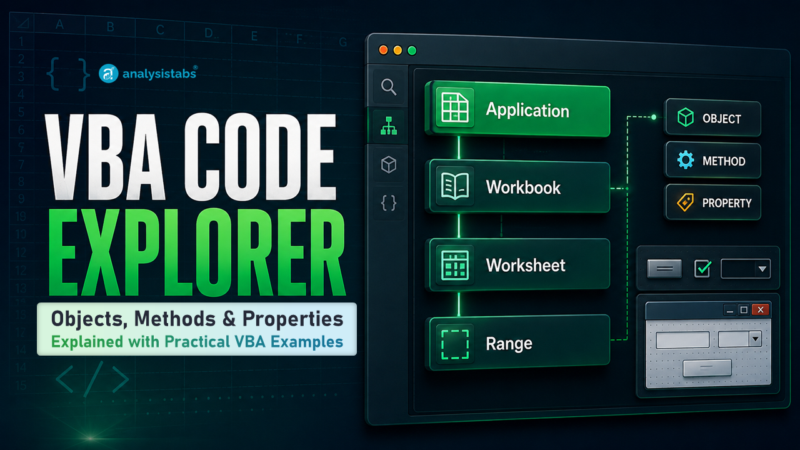
The VBA Code Explorer is a reference library for the Excel object model. Pick an object, then browse its methods and properties, each with syntax and a working example.
Know the task but not the object?
This page is organised by object — useful when you know you are working with a Range and need the exact syntax. If instead you know what you want to do — merge cells, delete rows, send an email — start with 100+ Excel VBA macro examples, which is organised by task.
Browse by Excel object
8 controls · CheckBox, ListBox and more
8 controls
Quick reference: the members you will reach for most
If you are here often, these are the twelve worth bookmarking.
| Member | Object | What it does |
|---|---|---|
| ScreenUpdating | Application | Switch off while a macro runs. The single biggest speed win in VBA. |
| Calculation | Application | Set to manual so Excel is not recalculating on every write. |
| EnableEvents | Application | Stop your own code triggering Worksheet_Change and looping forever. |
| DisplayAlerts | Application | Suppress the “are you sure” prompts when deleting or overwriting. |
| Find | Range | Locate a value without looping. Far faster than a For Each. |
| Copy | Range | Copy a range, with or without the clipboard. |
| PasteSpecial | Range | Paste values, formats or transposed data. |
| ClearContents | Range | Wipe the data but keep the formatting. |
| Delete | Range | Remove cells, rows or columns and shift the rest. |
| SaveAs | Workbook | Save under a new name, path or file format. |
| Close | Workbook | Close with or without saving, without a prompt. |
| Copy | Worksheet | Duplicate a sheet inside the workbook or into a new one. |
Not looking for an object?
These three are not part of the object reference, but they are where most readers end up next.
How to use a reference page
-
Start from the object, not the taskAsk what you are acting on. Deleting rows means you are acting on a Range. Renaming a tab means a Worksheet. Turning off prompts means Application.
-
Method or property?A method does something — Copy, Delete, Find. A property is something you read or set — Value, ScreenUpdating, Caption. If you would use a verb, look under Methods. If you would use a noun, look under Properties. Full explanation of objects, properties and methods.
-
Copy the syntax, then adapt itEvery page gives the syntax and a runnable example. Change the sheet and range references to your own before running it against real data.
-
Check it in the Object BrowserPress F2 in the VBA editor to see every member of every object your installation supports, including any this reference does not cover yet.
Missing something?
This library grows from reader questions. If a method or property you need is not here, leave a comment and it usually gets written up within a few days — that is how most of these pages came to exist.
Related VBA references
- Excel VBA tutorial — the full learning path from basics to advanced.
- VBA data types, statements and functions — the language itself, rather than the Excel objects.
- Excel VBA object model — how the objects nest inside each other.
- 100+ VBA interview questions — with worked answers.
- Advanced VBA programming — class modules, events and custom objects.
Thanks! It is Very Helpful for VBA Developers. We can use it as quick reference.
Thanks! Great help for a beginner in VBA programming. Most of the time when I google a search on a VBA topic I end up finding the answer on your site. Thanks again.
VBA basic codes
How to submit user forms data in excel sheet (under cell )