
MOM stands for Minutes of Meeting. It is the written record of a meeting, capturing what was discussed, what was decided, and which actions were assigned to whom, with due dates. A MOM is normally written by one attendee during the meeting and circulated to everyone within 24 hours.
In the US and UK the same document is usually called meeting minutes or minutes of meeting — the format is identical. Below is the standard structure with every field explained, a filled sample you can copy, and free templates for both Excel and Word.
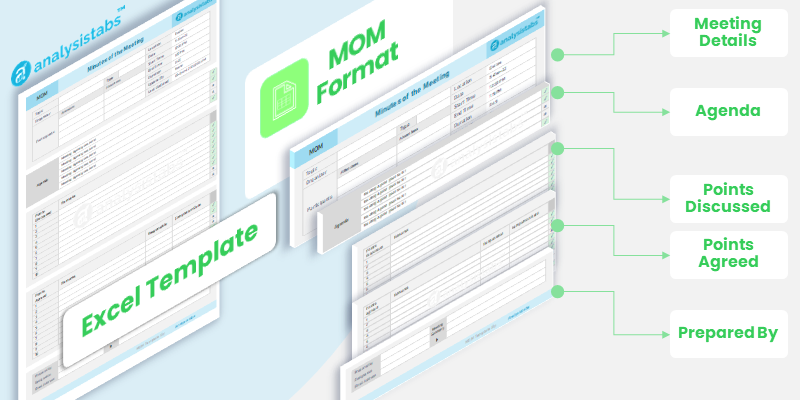
Minutes of Meeting Excel Template
The detailed version — separate sheets for meeting details, discussion and action items, with a summary of everything still open across all your meetings.
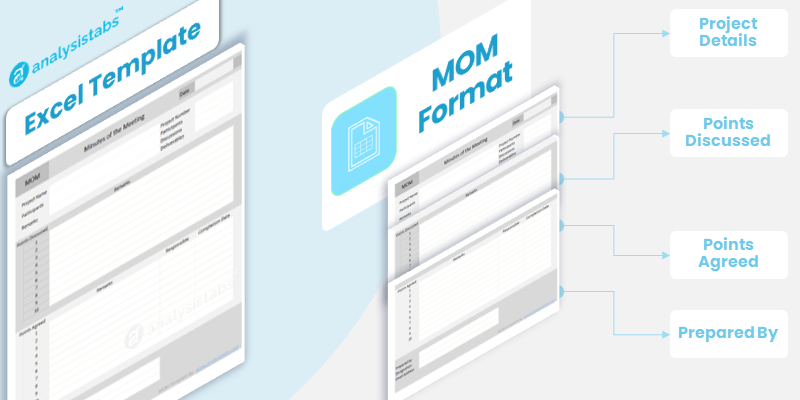
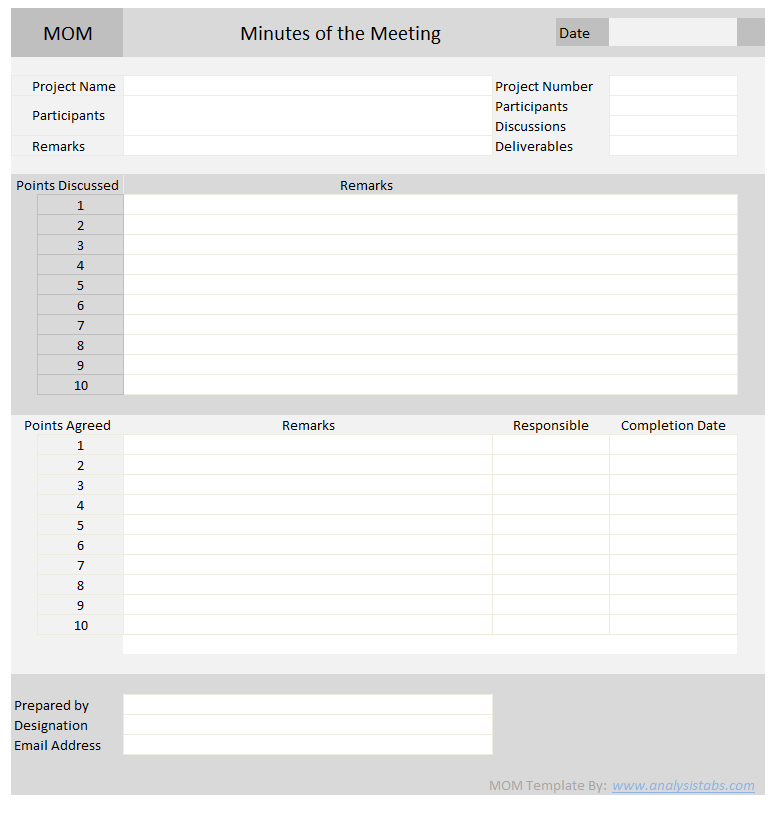
MOM Format: Simple Template
Everything on one sheet. For short meetings, client calls and one-off discussions where you don’t need the full structure.

MOM Template in Word Format
The same MOM format as a Word document — blank template, a completed sample, and a one-page guide. For formal minutes that get circulated or signed off.
Free. No sign-up. Works in Excel 2007 and later, Microsoft 365, and Google Sheets.
MOM Format
Every minutes of meeting document has the same three parts: a header block that identifies the meeting, a body that records what happened, and an action table that says what happens next.
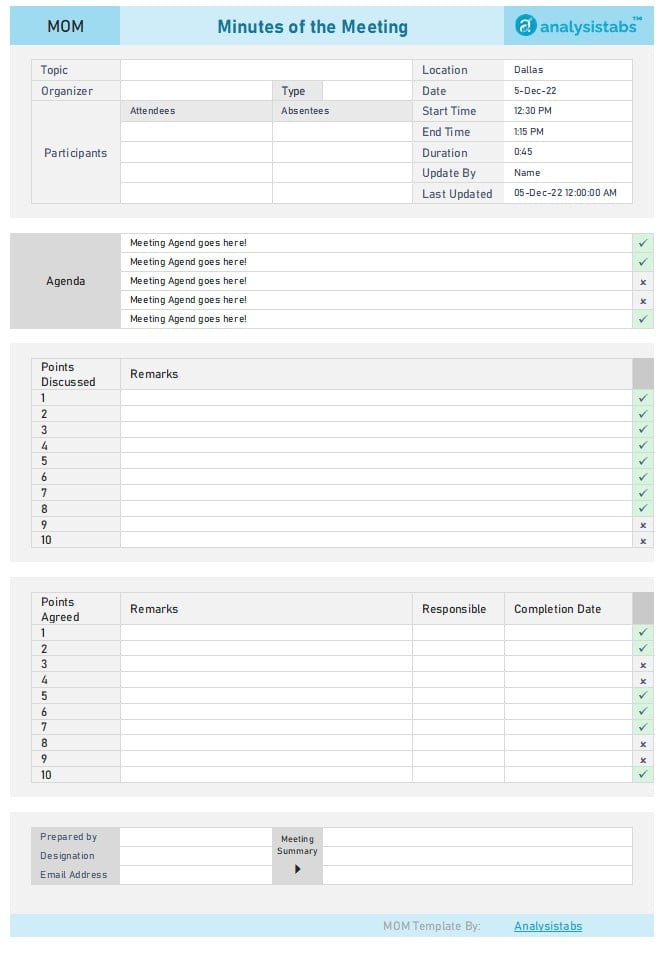
| Meeting details | |
|---|---|
| Project / Title | Name of the project or the meeting subject |
| Date & time | Date, start time and end time |
| Location | Room, or Teams / Zoom / Meet |
| Prepared by | Who wrote the minutes |
| Attendees | |
| Present | Name, role and organisation — one row each |
| Absent | Anyone invited who did not attend |
| Agenda & discussion | |
| Agenda item | The topic, as circulated before the meeting |
| Discussion | What was said — points raised, options considered |
| Decision | What was agreed. Kept in its own row, on purpose |
| Action items | |
| Action | What must be done |
| Owner | One named person, not a team |
| Due date | A date, not “ASAP” |
| Status | Open / In progress / Closed |
| Close | |
| Next meeting | Date, time and provisional agenda |
The Nine Fields, and What Goes in Each
| Field | What it captures | Example |
|---|---|---|
| Project / title | Which project or recurring meeting this belongs to | CRM Implementation — Sprint Review |
| Date & time | When it happened, and how long it ran | 08/12/2026, 10:00–11:15 AM ET |
| Location | Physical room or the platform used | Microsoft Teams |
| Attendees | Name, role and organisation for each person present | Sarah Chen — QA Lead, Vendor |
| Absentees | Invited but not present. Matters when a decision affects them | Tom Bradley — Finance |
| Agenda item | The topic, as circulated beforehand | UAT sign-off criteria |
| Discussion | Points raised and options weighed. Summarise, don’t transcribe | Two options reviewed for defect thresholds |
| Decision | What was actually agreed. One line, unambiguous | Sign-off requires zero Sev-1 defects |
| Action item | Task, one named owner, and a real due date | Draft UAT checklist — Sarah Chen — 08/19 |
MOM Format Sample — Filled Example
Here is the same format with a real meeting in it — a project status review, which is the most common use.
| Project | CRM Implementation — Phase 2 |
| Date & time | 08/12/2026, 10:00–11:15 AM ET |
| Location | Microsoft Teams |
| Prepared by | Jennifer Park, Project Manager |
| Present | Jennifer Park (PM) · Sarah Chen (QA Lead) · Mike Rodriguez (Client, Operations) · Dave Okafor (Dev Lead) |
| Absent | Tom Bradley (Finance) — to be briefed separately on the budget item |
| Agenda 1 — UAT sign-off criteria | |
|---|---|
| Discussion | Client asked for a defect threshold before go-live. Two options considered: zero Sev-1 only, or zero Sev-1 plus fewer than five Sev-2. |
| Decision | Sign-off requires zero Sev-1 defects. Sev-2 defects tracked but not blocking. |
| Agenda 2 — Data migration cut-over window | |
| Discussion | Ops cannot absorb downtime on a weekday. Weekend window proposed. |
| Decision | Cut-over moved to Saturday 26 Sep, 22:00–06:00. |
| Action items | |
| 1. Draft UAT checklist | Sarah Chen — due 08/19 — Open |
| 2. Confirm weekend support roster | Dave Okafor — due 08/22 — Open |
| 3. Brief Finance on cut-over cost | Jennifer Park — due 08/15 — Open |
| Next meeting | 08/26/2026, 10:00 AM ET — UAT readiness review |
| Corrections by | 08/14/2026, EOD |
Notice that the decisions are single sentences in bold, and every action has one owner and a date. That is the whole discipline.
MOM Template in Excel
Excel is the usual choice because action items become a filterable list. Once you have twenty meetings’ worth of minutes, being able to filter every open action across all of them is the reason people stay with the spreadsheet rather than moving to a document.
Which version to use:
- Detailed — separate sheets for meeting details, discussion and actions, plus a summary view of all open items. For projects with recurring governance meetings.
- Simple — one sheet, everything on a single page. For short meetings and one-off discussions.
Making the Action List Actually Work
Keep action items on their own sheet, one row per action, with a status column. A single formula then counts what is still open for any owner across every meeting:
=COUNTIFS(Actions[Status],"Open",Actions[Owner],A2)
That turns the minutes from a filing exercise into something you can run the next status meeting from.
MOM Template in Word
Word suits formal minutes — board meetings, statutory records, anything circulated as a document or formally signed off. The structure is identical, but it reads as prose with tables rather than as a spreadsheet, and it prints properly without any page-setup work.
Use Word when:
- The minutes are a formal record that will be approved at the next meeting
- They go to people outside your organisation — clients, auditors, a board
- There are more discussion notes than action items
Use Excel when there are more action items than discussion, or when you are tracking open actions across many meetings.
How to Write Minutes of Meeting
- Circulate the agenda beforehand. The agenda becomes the skeleton of the minutes. Without one you are writing from a blank page while trying to follow the discussion.
- Fill the header before the meeting starts. Project, date, attendees. Two minutes then saves reconstructing it afterwards.
- Capture decisions as they happen. When something is agreed, write the one sentence immediately. Discussion can be summarised from memory later; a decision cannot be reconstructed reliably.
- Say the action item out loud before moving on. “So that’s Sarah, checklist, by the 19th.” This is the single highest-value habit — it confirms the owner accepted it, in front of everyone.
- Write it up within the hour. Recall drops sharply. An hour later you have most of it; the next morning you have half.
- Send within 24 hours and ask for corrections. Give a deadline: “please flag anything wrong by Thursday.” Silence after that is agreement, and that is what makes minutes usable as a record.
- Carry open actions into the next meeting. Open items from last time become the first agenda item this time. Actions that are never reviewed do not get done.
MOM Format by Meeting Type
| Meeting type | What to add to the standard format |
|---|---|
| Project meetings | A column linking each action to a work package or task ID, so the minutes tie back to the plan |
| Client meetings | A scope-impact note against each decision. This is the record that settles later disputes about what was agreed |
| Board meetings | A resolutions section and an approval line. Use Word — these are formal, often statutory records |
| Team standups | Drop discussion entirely. Blockers and actions only. Five lines is a complete standup MOM |
| Requirement gathering | An open-questions section for anything unresolved. These become the next meeting’s agenda |
| Vendor reviews | SLA or deliverable references against each item, so the minutes support the contract |
Common Mistakes
- Transcribing instead of summarising. Minutes are not a transcript. Three lines per agenda item is usually right.
- Actions with no named owner. “The team will review” means nobody will review. One name per action.
- “ASAP” instead of a date. An action without a date cannot be chased and cannot be closed.
- Decisions buried in discussion. If someone has to read a paragraph to find what was agreed, the minutes have failed.
- Sending days later. Minutes circulated a week on are archaeology, not a working document.
- Never revisiting open actions. Actions not reviewed at the next meeting do not get done, and the minutes become a filing habit rather than a tool.
Frequently Asked Questions
What is the full form of MOM?
MOM stands for Minutes of Meeting — the written record of discussion, decisions and action items from a meeting. It is sometimes written MoM.
What is MOM in a meeting?
MOM in a meeting means Minutes of Meeting — the written record of that meeting. One attendee takes it down as the meeting runs, noting discussion points, decisions and action items, then circulates it to everyone afterwards so there is a single agreed account of what happened.
What is MOM format?
The standard MOM format has three parts: a header block (project, date, location, attendees), a body recording agenda items with discussion and decisions kept separate, and an action table with task, owner, due date and status.
What is the difference between MOM and an agenda?
The agenda is written before the meeting and lists what will be discussed. The MOM is written during and after, and records what actually was discussed and decided. The agenda usually becomes the structure of the minutes.
Who should write the minutes?
Usually someone other than the person chairing, since chairing and note-taking at the same time means one of them suffers. On project teams this is typically the project manager or coordinator; in formal settings, a designated secretary.
How soon should minutes of meeting be sent?
Within 24 hours. Write them up within an hour of the meeting while recall is intact, then circulate with a deadline for corrections.
Should I use Excel or Word for MOM?
Excel when there are many action items or you are tracking them across multiple meetings, since actions become a filterable list. Word for formal minutes that get approved, signed or circulated externally.
Is the MOM template free?
Yes. The Excel and Word templates on this page are free to download and use at work, with no sign-up.
Can I edit the MOM template?
Yes. Nothing is locked. Add or remove columns, change the fields, and adjust the formatting to match your organisation’s standard.
Do minutes of meeting have legal standing?
It depends on the setting. Board minutes of a registered company are often a statutory requirement and carry legal weight. Project meeting minutes are not usually statutory, but circulated minutes that go uncorrected are widely treated as evidence of what was agreed. This is general information rather than legal advice — check the requirements that apply to your organisation.
Related Templates
- Project Status Report Template — the weekly or monthly report that follows from your action items
- Task Management Template — for tracking actions beyond a single meeting
- Project Plan Template — link meeting decisions back to the schedule
- All Free Project Management Templates


Awesome information. Thanks a lot.
This template is wonderful and saved me a lot of time. I was able to get my meeting notes documented and shared quickly without having to build something from scratch. Thank you!
— Abdulkareem, Project Coordinator
Thank you Kareem! We are glad we could help you! Thanks – PNRao
Awesome format and the information in the article is fantastic. A great resource that’s a huge help. Can you send me project feed back form, its a grateful help me!
— Deepa, Jr. Project Manager
Hi Deepa, Thanks for your valuable feedback! Thanks-PNRao!
Great Article. I recently had to fill out a form and spent an enormous amount of time trying to find an appropriate Filling out forms is super easy with PDFfiller. Try it on your own here 2006 QAI QMV1407 and you’ll make sure how it’s simple.
Great template! This was exactly what I was looking for and it saved me a ton of time. Bravo!”
— Renjith, Business Analyst
In a startup, we move fast, and miscommunication can be costly. This template is exactly what we needed. It’s comprehensive enough to capture technical details but simple enough that it doesn’t slow us down. Sharing the action items with the dev team is now crystal clear, and everyone knows exactly what they’re responsible for. It has become a standard tool in our workflow.
— Sarah Jenkins, Lead Developer
grate save my time
Payroll Help in Excel (wtih VBA)
This is very good work. The template is well-designed and easy to use. Thanks a bunch :) for making this available!
— William, Operations Manager
Excellent sheet. This template has made my work so much easier. The format is clear, professional, and has everything I need to keep our project meetings on track.
— Rahul, Team Lead
Thank you for writing this.
Thank you all for great feedback!
We’re thrilled our template helps professionals save time and stay organized. We hope you find it just as valuable!
— PNRao!
I juggle multiple clients, and my meeting notes used to be a mess. This template has completely streamlined my process. It takes me just a few minutes to fill out during the call, and I can send a professional, easy-to-read summary to my clients immediately after. It has genuinely saved me hours of administrative work each week. Highly recommended for any consultant.
— David Chen, Freelance Business Consultant
With over 20 years in program management, I’ve seen my share of templates. This is, without a doubt, one of the best free resources available. It covers all the essential elements needed for effective stakeholder communication and serves as a reliable record for project governance. The layout is logical and ensures nothing gets missed. A truly professional-grade tool.
— Mark Riley, Senior Program Manager
I’m not a project manager, but I run a lot of team meetings. I needed a simple way to document what we discussed and who was doing what. This template was perfect. It’s intuitive, easy to use, and makes my follow-up emails look incredibly professional. It has made our team meetings much more productive.
— Emily Carter, Marketing Director
As a junior project manager, keeping track of everything is my biggest challenge. This MOM template is a lifesaver. It’s so well-structured and professional. I used it for my first major client kickoff, and my manager was impressed with how clear and organized the minutes were. The separate sections for action items and decisions are brilliant. Thank you for making this available for free!
— Priya, Junior Project Manager
It’s great to read all the positive experiences here. We’re so glad the template is helping professionals like you save time and stay organized. Thanks for sharing your feedback!