Show or Hide|Unload a userform
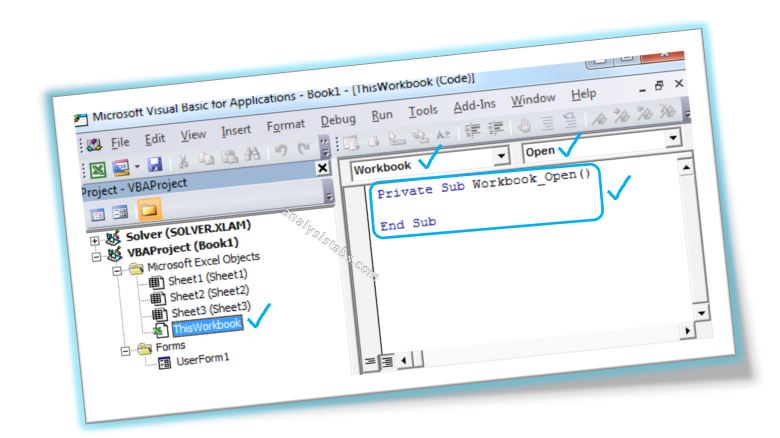
PNRao2022-06-17T03:58:56+05:30Show or hide means to display or hide a Userform. We use Show and Hide methods to display or hide. Unload will be used when completes the task.
Show or hide means to display or hide a Userform. We use Show and Hide methods to display or hide. Unload will be used when completes the task.
Column Number to Column Name is nothing but converting column number to Excel alphabetic character column name. Most of the time while automating many tasks using Excel VBA, it may be required.
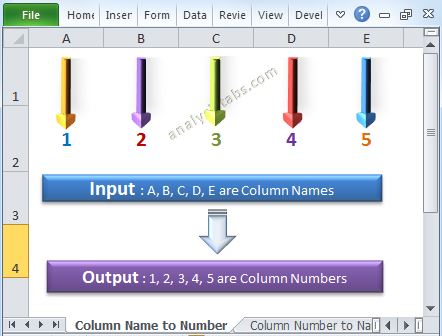
Column Name to Column Number is nothing but converting Excel alphabetic character column name to column number. Most of the time while automating many tasks it may be required. Please find the following details about conversion of column name to column number. You can also say column string to column number. Or get alphabetic character to column number using Excel VBA.
We can remove or delete checkbox on the worksheet or userform using ‘Go To Special’ or ‘Select Objects’ or by turning on Design Mode in Developer tab. when we don’t want to place checkbox control on the worksheet or userform we removes from there. Please find the more details and screenshots for clear understanding about remove checkbox control in the following chapter.
Add CheckBox on Worksheet or UserForm is using checkbox control and is used to specify or indicate binary choice. In this section we will see how to add single checkbox or multiple checkboxes on the worksheet or userform. Please find more details about add checkbox control in the following chapter.
We can add CheckBox on Worksheet or UserForm is using VBA with checkbox control and is used to specify or indicate boolean choice. In this section we will see how to add single checkbox or multiple checkboxes on the worksheet or userform using VBA. Please find the more details about add checkbox control using VBA in the following chapter.
Move worksheet in VBA is used to move the worksheet(s) from one location to another location in the same workbook or another new workbook or existing workbook.
Copy worksheet in VBA is used to Copy the worksheet from one location to another location in the same workbook or another new workbook or existing workbook.
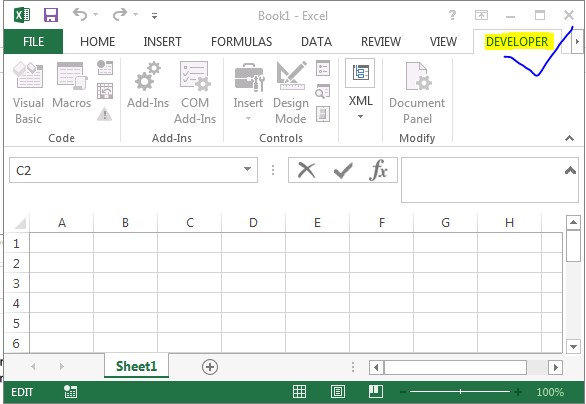
Developer Tab in MS Office tools helps programmer to navigate VBA editor, recording macros to automate repetitive tasks and to write VBA programs to develop applications.
Effectively Manage Your
Projects and Resources
Analysistabs was created by PNRao, a project management professional with over 15 years of experience across finance, telecom, healthcare, and retail. What started as a personal Excel blog in 2012 has grown into a resource used by 50,000+ professionals worldwide. Every template is built from real-world project experience — not generic AI-generated content.
Free Templates
Premium Templates
Free project management templates and Excel automation guides by PNRao. Download professional templates for project planning, budgets, dashboards, timelines, and more. Compatible with Excel 365, 2024, and 2021. Trusted by 50,000+ professionals since 2012.