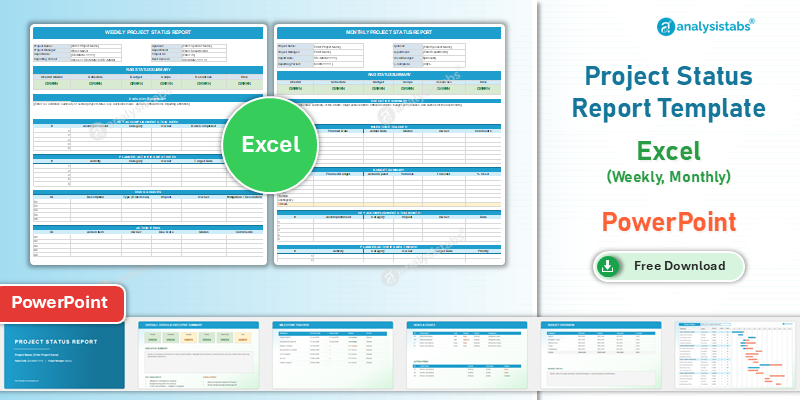
Free project status report templates for Excel and PowerPoint. Weekly and monthly formats with RAG (Red/Amber/Green) status indicators, key accomplishments, upcoming milestones, risks and issues, and action items — everything your sponsor and steering committee need at a glance. Free download, no sign-up.
Consistent status reporting builds trust with stakeholders and helps you catch problems early. Instead of rebuilding a report from scratch every week, download one of the templates below, fill in your project details, and send a polished update in minutes.
Free project status report templates from Analysistabs
Weekly and monthly project status report templates in Excel, plus a PowerPoint deck for executive and steering committee reviews. Each carries RAG status indicators across six project dimensions, a milestone table with planned and actual dates, a risk and issue log, budget planned-versus-actual, and action items carried forward between periods. All files work in Excel and PowerPoint 2016 through Microsoft 365 on Windows and Mac, and open in Google Sheets. Free for personal and commercial use, no sign-up or email required. Automated RAG calculation and multi-project portfolio rollup are available in the premium packs at Analysistabs.org.
Project status report template free download
Three formats covering weekly team reporting, monthly governance and executive presentation.
- RAG indicators across six dimensions — overall health, schedule, budget, scope, resources and risk.
- Milestone table — planned dates against actual dates, so schedule drift shows early.
- Carried-forward action items — open items stay visible between reporting periods.
Free to download — no sign-up, no email required
Free for personal and commercial use. Works in Excel and PowerPoint 2016, 2019, 2021, 2024 and Microsoft 365 on Windows and Mac, and opens in Google Sheets.
Weekly project status report template — Excel free download
The weekly project status report goes to your delivery team and PM peers. Its job is to unblock work in flight, so it stays short: what was done this week, what is planned for next week, and any blockers or escalations. It should take no more than fifteen minutes to complete.
- RAG summary — overall rating plus schedule, budget, scope, resources and risk.
- Accomplishments and next week — paired lists so delivery and plan sit side by side.
- Blockers and escalations — for anything needing a decision above the project manager.
- Action items — owner, due date and status, carried forward from previous periods.
- Built-in formulas and conditional formatting — overdue items highlight themselves.
The same file doubles as a weekly progress report template — leave the forward-looking RAG block blank and it becomes a pure record of work completed. See status report vs progress report for when each applies.
Monthly project status report template — Excel free download
The monthly report goes to your sponsor, your client and the governance forum. It answers a different question from the weekly — not “what is stuck right now” but “does the forecast still hold” — so it carries trends rather than snapshots.
- Trend charts — progress across reporting periods, so a slow slide from green to amber is visible.
- Cumulative budget tracking — planned against actual spend, with forecast to complete.
- Milestone table — planned dates, actual dates and current status.
- Risk register — probability, impact and mitigation owner for each active risk.
- Resource summary — allocation against capacity, feeding from your resource plan.
Executive project status report template — PowerPoint free download
The executive project status report is a deck rather than a document, because it is read in a room instead of at a desk. It is the right format for steering committee meetings and executive reviews, where the audience wants a verdict and a decision rather than detail.
- RAG summary slide — the overall verdict on one slide.
- Milestone timeline — a presentation-grade view of your Gantt chart, without the row detail.
- Budget overview — planned, actual and forecast in a single chart.
- Risk heatmap — probability against impact, so the room can see which risks matter.
Project status update template: daily, weekly and monthly
“Status update” and “status report” are used for the same thing, but the cadence you choose changes what belongs in it. A project status update template works at three rhythms, and each drops something the next one keeps.
| Cadence | What it carries | What it drops | Use it for |
|---|---|---|---|
| Daily update | Yesterday, today, blockers — three lines per person | RAG, budget, milestones, risks | Crunch periods, cutover weeks, incident recovery |
| Weekly update | RAG, accomplishments, next period, blockers, actions | Trends and cumulative budget | Standard delivery reporting — use the weekly template |
| Monthly update | Everything, plus trend charts and forecast | Day-level detail | Governance and sponsors — use the monthly template |
Daily updates are the one case where a template can work against you. If it takes longer than two minutes, people stop sending it. Keep daily updates to three lines in chat and reserve the template for the weekly project status update.
What is a project status report?
A project status report is a project management document that captures the current health and progress of a project at a specific point in time. It communicates what has been accomplished, what is coming next, what risks or issues exist, and whether the project is on track for its deadlines and budget.
Status reports are typically shared weekly or monthly with project sponsors, steering committees, clients and team members. They are the primary communication tool between the project team and stakeholders who need visibility into progress without getting into task-level detail.
Project status report format: what to include
A well-structured project status report format covers eight sections. All the templates on this page are already laid out this way.
| Section | What goes in it |
|---|---|
| Project information | Project name, report date, reporting period, project manager, sponsor and overall RAG status |
| Executive summary | Two or three sentences on the project’s current state. Often the only section senior stakeholders read — make it count |
| Key accomplishments | What was completed this period: specific deliverables, milestones achieved and decisions made |
| Upcoming activities | What is planned for the next period, with critical deadlines and dependencies highlighted |
| Milestones | All milestones with planned dates, actual dates and status. Link this to your Gantt chart for detailed scheduling |
| Risks and issues | Active risks with probability, impact and mitigation plans. Open issues with owners and target resolution dates |
| Budget status | Planned versus actual spend, forecast to complete and variance explanations. For detail, see the project cost estimator |
| Action items | Open actions with owners, due dates and status, from the current and previous reporting periods |
Project status report example
Most template pages hand you a blank grid. Here is a filled weekly report so you can see the level of detail that makes a status report useful before you write your own.
| Project | CRM migration — Phase 2 |
| Reporting period | Week 14, ending 24 July 2026 |
| Overall status | Amber |
| Executive summary | At risk. Data cleansing on the legacy contacts table has put UAT entry approximately four working days behind plan. A second analyst joins on 27 July, owned by S. Rao, and the position is expected to resolve by 5 August. No decision required from this group yet — raising for visibility. |
| Key accomplishments | Integration spec signed off by architecture (22 Jul). Sandbox environment provisioned and validated. 61% of legacy contact records cleansed. |
| Upcoming activities | Complete data cleansing. Dry-run migration on sandbox. Confirm UAT tester availability with business leads. |
| Milestone | UAT entry — planned 29 Jul, forecast 4 Aug |
| Top risk | UAT testers double-booked against year-end close. Mitigation: written commitment from finance lead by 30 Jul. Owner: M. Iyer. |
| Budget | Planned £142k, actual £138k, forecast to complete £151k. Variance is the additional analyst. |
| Action item | A-19 Confirm UAT window with finance — M. Iyer — due 30 Jul — open since week 12 |
What makes this example work is specificity. Every entry carries a number, a date or a name. “Data cleansing in progress” tells a sponsor nothing; “61% of records cleansed, four days behind, second analyst starting Monday” tells them everything they need to decide whether to intervene.
RAG status indicators
RAG (Red, Amber, Green) indicators are the universal shorthand for communicating project health. Every status report should carry a RAG rating for the overall project and for each key dimension.
| Rating | Meaning | What you do next |
|---|---|---|
| Green | On track. Progressing as planned with no significant risks or issues | Keep reporting. No action needed from stakeholders |
| Amber | At risk. Concerns exist that could affect the project if not addressed, but the situation is manageable | Name the concern, state the mitigation and give the date by which it turns green or red |
| Red | Off track. Significant issues affecting scope, schedule or budget, requiring escalation | Escalate with a root cause, two options and a recommendation |
Apply a rating to each of six dimensions: overall project health, schedule adherence, budget status, scope control, resource availability and risk level. This gives stakeholders a visual summary before they read any detail.
Let the worst dimension set the overall rating
Averaging the six is how a red budget disappears behind five greens. If any dimension is red, the project is red. Agreeing that rule with your sponsor at kickoff — and writing it into the project charter — is what stops RAG ratings drifting optimistic over the life of a project.
Project status categories
Every project moves through a series of status stages. Using the same categories consistently across reports lets stakeholders compare projects side by side.
| Status | What it means |
|---|---|
| New | Accepted but work has not started. Used to identify projects in the pipeline needing team assignment and kickoff planning |
| Open | Assigned to a team or specific resource, awaiting the start of active work |
| In progress | Active work underway against the project plan and timeline. Most status reporting effort sits here |
| On hold | Temporarily paused for dependencies, resource constraints, scope changes or external factors. The report should give the reason and expected resumption date |
| Completed | All deliverables tested, accepted and handed over. The project is in closeout or transition |
| Cancelled | Terminated before completion. The report should document the reason and any lessons learned |
Weekly vs monthly project status reports
These are different documents for different audiences, not the same document sent at two frequencies.
| Weekly status report | Monthly status report | |
|---|---|---|
| Audience | Core team and delivery manager | Sponsor, steering committee, client |
| Purpose | Unblock work in flight | Governance and forward-looking decisions |
| Time to complete | 15 minutes | 45–60 minutes |
| Focus | Done this week, planned next week, blockers and escalations | Trend charts, cumulative budget, resource utilisation, forward-looking risk assessment |
| Best format | Excel — data-driven and quick to fill | Excel for the record, PowerPoint for the meeting |
Project status report vs progress report
These two get used interchangeably and they are not the same document. Sending the wrong one is a common reason reports go unread.
| Status report | Progress report | |
|---|---|---|
| Direction | Forward-looking — forecasts and rates health | Backward-looking — records what was completed |
| Carries RAG? | Yes, that is the point of it | Usually not |
| Asks for a decision? | Yes | Rarely |
| Cadence | Weekly or monthly | Milestone or phase end |
| Reader | Sponsor and steering committee | Client, auditor, project record |
| Template | This page | Project tracker, or the weekly template with the RAG block left blank |
Project status chart and dashboard
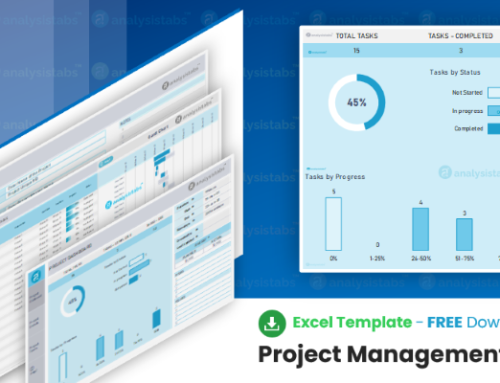
A project status chart is the visual summary of the report — RAG indicators combined with progress bars showing completion percentage alongside health ratings. You can build one in Excel using conditional formatting and the built-in chart types, or use the project dashboard template, which includes automated status visualisations that update as you enter data.
For teams managing multiple projects, a status dashboard rolls individual reports into a single executive view — RAG status, completion percentage, budget health and key milestones for every active project, so PMO leads and programme managers can spot problems across the portfolio at a glance.
Program and portfolio status reports
A program status report works at a level above the project. Instead of milestones and tasks it carries one row per constituent project, with a RAG rating and next milestone for each, plus the dependencies between them.
| Level | Unit of reporting | Template |
|---|---|---|
| Project | Milestones, risks and actions within one project | This page |
| Program | One row per project, plus cross-project dependencies | Multiple project tracker |
| Portfolio | Roll-up across programs with budget and benefit tracking | Project dashboard |
If you are reporting on three or more related projects, roll them up rather than sending three separate status reports. Three documents landing in the same inbox on the same day get read as one, badly.
Download the free project status report templates
All templates are free to download and use for personal and commercial projects, with no sign-up required. For more, browse the complete project management templates library.
Weekly project status report — Excel (.xlsx)
Quick-fill format with RAG indicators, accomplishments, upcoming tasks, risks and action items. Built-in formulas and conditional formatting — takes fifteen minutes to complete.
Monthly project status report — Excel (.xlsx)
Comprehensive format with trend charts, budget tracking, milestone table, risk register and resource summary. Built for monthly governance meetings and steering committee reviews.
Project status report — PowerPoint (.pptx)
Presentation-ready format for steering committee meetings and executive reviews. Includes RAG summary slide, milestone timeline, budget overview and risk heatmap.
Browse all free project management templates
Need advanced status reporting?
The free templates cover most weekly and monthly reporting needs. If you need automated RAG calculations, multi-project portfolio dashboards, executive presentation decks and integrated resource tracking, the premium packs go further.
- Project Status Templates Pack ($29) — weekly and monthly status reports in Excel and PowerPoint with automated RAG indicators.
- Project Dashboard Templates Pack ($49) — automated dashboards with KPI charts, progress tracking and executive summary views.
- 120+ PM Templates Pack ($299) — complete toolkit with 50+ Excel, 50+ PowerPoint and 25+ Word templates.
120+ professional project management templates
Excel, PowerPoint and Word templates built from real projects. Trusted since 2012.
Where the status report sits in your workflow
- 1. Charter
- 2. Plan
- 3. Gantt
- 4. Status report
- 5. Minutes
- 6. Portfolio
Frequently asked questions
Is the project status report template free to download?
Yes. Every template on this page is free for personal and commercial use, with no sign-up or email required.
What is a project status report?
A document that communicates the current health and progress of a project to stakeholders. It typically includes an executive summary, key accomplishments, upcoming activities, milestones, risks, issues, budget status and action items.
How often should I send a project status report?
Most projects benefit from weekly status reports for the core team and monthly reports for steering committees and executive stakeholders. The frequency depends on project complexity, stakeholder expectations and organisational governance requirements.
What are RAG status indicators?
RAG stands for Red, Amber and Green — a colour-coded system used to communicate project health at a glance. Green means on track, amber means at risk but manageable, and red means off track and requiring immediate attention or escalation.
What should I include in a weekly project status report?
The overall RAG status, key accomplishments from the past week, planned activities for the coming week, any blockers or escalations, and updated action items. Keep it concise — it should take no more than fifteen minutes to complete.
What is the difference between a status report and a status update?
Nothing formal — the terms are used interchangeably. In practice “update” often implies something shorter and more frequent, such as a daily three-line note, while “report” implies the full weekly or monthly document with RAG ratings.
What is the difference between a status report and a progress report?
A status report is forward-looking — it forecasts, rates health and asks for decisions. A progress report is backward-looking, recording work completed against plan. Status reports carry RAG ratings; progress reports usually do not.
What is the difference between a status report and a status dashboard?
A status report is a periodic document, weekly or monthly, giving a narrative update on a single project. A status dashboard is a live or regularly updated visual summary — often across multiple projects — showing RAG status, progress bars and key metrics in one view.
Is there a program status report template?
Yes. Program-level reporting carries one row per constituent project rather than one row per milestone. Use the multiple project tracker for that level, and the templates on this page for the individual projects underneath it.
Can I use these templates for client-facing reports?
Yes. All templates are professionally designed with clean layouts suitable for internal and client-facing communication. You can add your company logo and customise the colour scheme to match your brand.
Do these templates work in Google Sheets?
Yes. The Excel files are standard .xlsx and open in Google Sheets. Conditional formatting carries across, though a small number of rules may need reapplying after import.
Related project management templates
- Project dashboard template — the live visual companion to the written status report.
- Multiple project tracker — roll several projects into one portfolio status view.
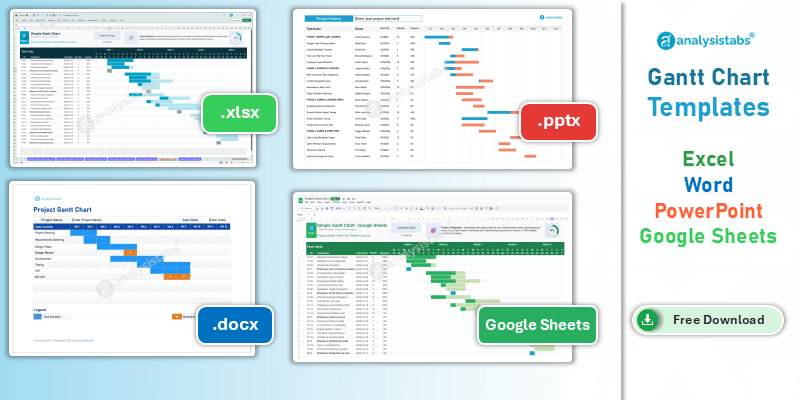
- Gantt chart templates — the schedule detail behind your milestone table.
- Project cost estimator — feeds the budget status section.
- Project charter template — where your RAG rules should be written down.
- Meeting minutes template — captures the decisions your status report asked for.